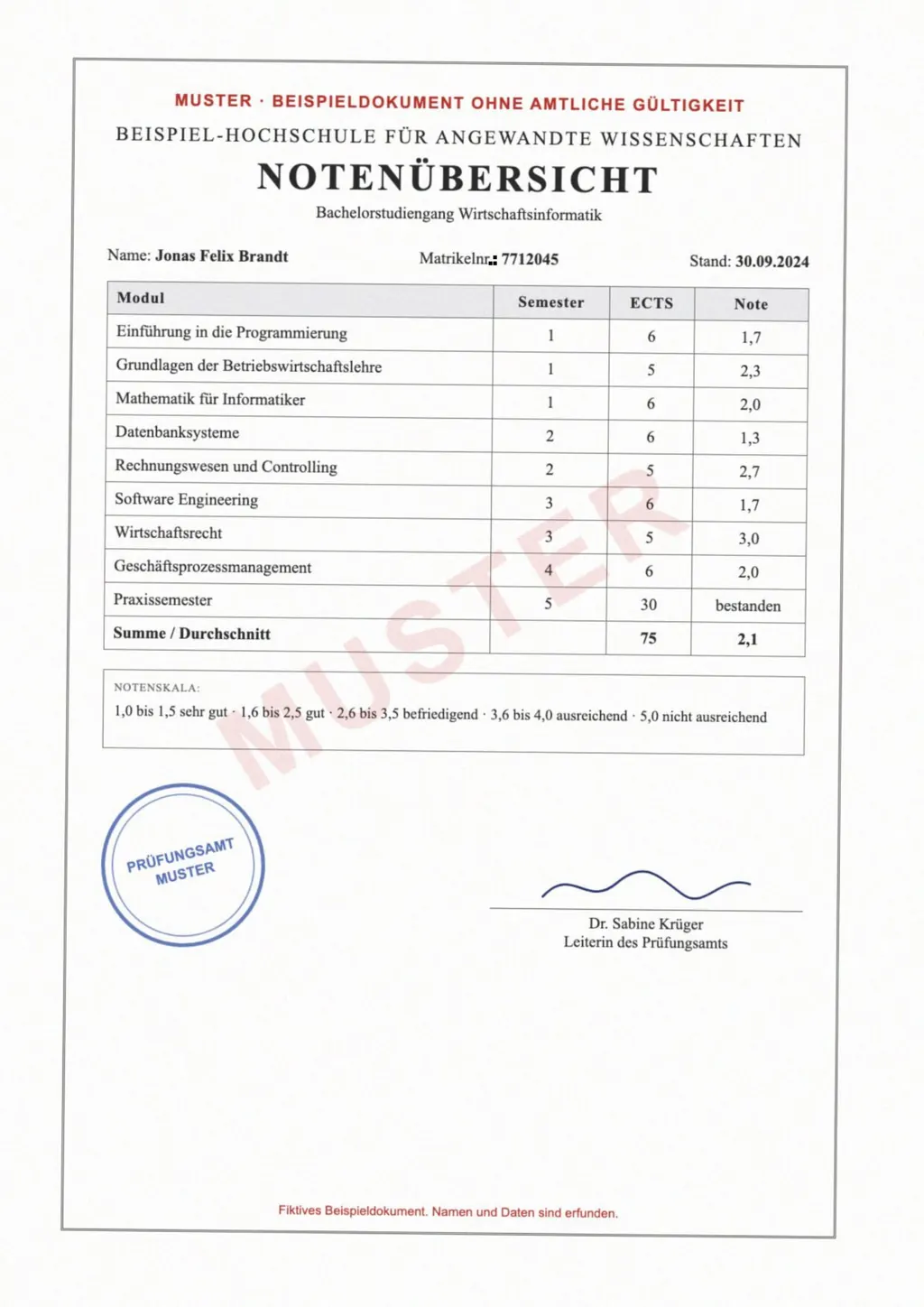
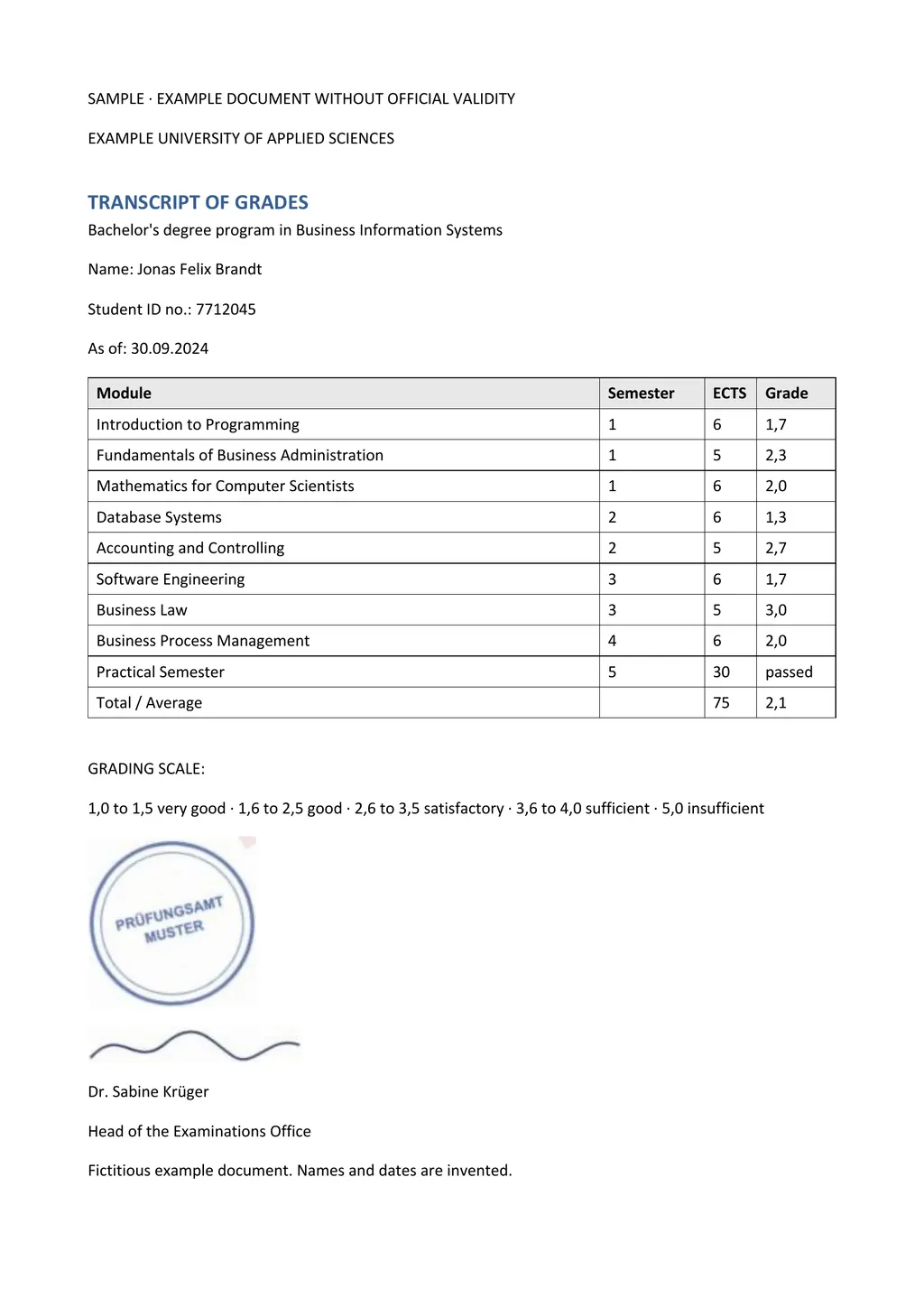
What is Mistral OCR?
Mistral OCR is an optical character recognition API from the French AI company Mistral AI. The first version launched on March 6, 2025, took images and PDFs as input and returned the text and images of each page in reading order[2]. Mistral said it read thousands of scripts, fonts and languages, and could process up to 2,000 pages a minute on a single node[2].
Mistral OCR 3 followed on December 17, 2025, under the model ID mistral-ocr-2512[1]. Mistral describes it as reading cursive and handwriting written over printed forms, rebuilding tables with merged cells and headers, and handling scans with skew, low resolution and background noise[1]. Its models page now lists OCR 4.1 as the newest model, with paragraph-level bounding boxes and block labels, and keeps OCR 3 for existing integrations[3].
Mistral OCR models at a glance
- OCR 4.1
- Latest model, adds paragraph boxes, block labels and block confidence scores[3]
- OCR 3
- Model ID mistral-ocr-2512, released December 17, 2025[1]
- mistral-ocr-latest
- The API alias that points to the newest OCR model[4]
- Inputs
- PNG, JPEG and other images; PDF, PPTX, DOCX and other documents[4]
- Output
- JSON with Markdown for each page, plus images, tables, headers and footers[4]
- Price
- $2 per 1,000 pages for OCR 3, $1 with the batch discount[1]
How developers use the Mistral OCR API
You call the OCR endpoint with a document URL, a base64 file or an uploaded PDF, and the model returns a JSON object[4]. Each page in it holds Markdown text, extracted images and tables, and optional header and footer fields. Tables come back as Markdown or HTML, set by a parameter[4]. For large jobs, Mistral points to its batch service, which halves the price[1].
Mistral also offers a Document AI playground in its AI Studio, where you drag in a PDF or image and see the parsed result[1]. That is the fastest way to see what the model reads before you write code.
Mistral OCR inside LoreAI
LoreAI calls Mistral OCR through the same API, using the mistral-ocr-latest alias, so every upload is read by Mistral's newest OCR model. The OCR result is not the end of the job. LoreAI translates the text into any of 105 languages, rebuilds headings, lists and tables in their original order, and returns an editable Word file.
- Create a free account. Your first document is free, up to 3 pages and 3 MB.
- Upload the scan or photo. A scanned PDF, a JPG or a PNG from your phone all work. LoreAI sends it to Mistral OCR to read.
- Pick the target language. The source language is detected for you.
- Download the Word file. You get a .docx with the translated text, the tables as Word tables, and names, dates and numbers as written.
Mistral OCR API and LoreAI, side by side
| What you need | Mistral OCR API | LoreAI |
|---|---|---|
| File types | Images and documents including PDF, PPTX and DOCX[4] | PDF, JPG and PNG |
| File size | Not stated on the OCR documentation page | Free 3 MB, Basic 10 MB, Pro 25 MB |
| Scanned pages | Read with OCR[1] | Read with Mistral OCR, then translated |
| Handwriting | Cursive and handwritten form entries[1] | Read along with the printed text |
| What you download | JSON with Markdown per page[4] | An editable Word file (.docx) |
| Translation | Not part of the OCR endpoint[4] | Into 105 languages |
| Code needed | Yes, an API call, or the playground to try it[1] | No, upload in a browser |
| Price | $2 per 1,000 pages for OCR 3[1] | First document free, then Basic at $12.99 a month |
Which one should you use?
- Use the Mistral OCR API if you are building a product, a search index or a data pipeline and want Markdown or JSON at scale. The per-page price is low and the batch service halves it[1].
- Use the Document AI playground to test a few files by hand and see the raw output[1].
- Use LoreAI when you have a scan of a real document, such as a certificate, a transcript or a letter, and want it translated as an editable Word file without writing code.
The reading quality is the same model either way. LoreAI is the finished app around it, with translation, layout and the Word export done for you. For other OCR tools, see the OCR software comparison and the handwriting OCR comparison.
A machine translation is not a certified one
LoreAI is not a certified translation service. When an agency such as USCIS asks for a certified translation, a translator signs a statement that it is complete and accurate. The guide to getting a certified translation shows how to use LoreAI's Word file as the draft for that step.
Questions people ask
Is Mistral OCR free?
The API is paid per page, $2 per 1,000 pages for OCR 3[1]. You can try it in the Document AI playground in Mistral AI Studio. LoreAI's first document is free.
What is the latest Mistral OCR model?
Mistral's models page lists OCR 4.1 as its latest OCR service, and the mistral-ocr-latest alias points to the newest model[3].
Does Mistral OCR read handwriting?
Yes. Mistral says OCR 3 reads cursive, handwritten notes and handwriting layered over printed forms[1].
Does Mistral OCR translate?
The OCR endpoint returns the text in its original language as Markdown and JSON[4]. LoreAI adds the translation and the Word file on top of Mistral OCR.
Can I use Mistral OCR without coding?
Yes, two ways. Mistral's Document AI playground lets you drag in a file to see the output[1], and LoreAI lets you upload a scan and download a translated Word file.
Sources
- Mistral AI: Introducing Mistral OCR 3, accessed November 6, 2026
- Mistral AI: Mistral OCR (announcement, March 6, 2025), accessed November 6, 2026
- Mistral AI Docs: Models overview, accessed November 6, 2026
- Mistral AI Docs: OCR (Document AI, basic OCR), accessed November 6, 2026
By Matt Mountain ·