Terms on Spanish-language certificates
- Acta de nacimiento
- Birth certificate (literally, birth record)
- Registro Civil
- Civil Registry
- Oficialía / Juzgado del Registro Civil
- Registry office. Keep the number, for example Office 03.
- Libro, foja, acta
- Book, page (folio), entry number. Keep the numbers exactly.
- Copia certificada
- Certified copy, meaning a copy the registry issued. It says nothing about the translation.
- Registrado / registrada
- Person registered
- Presentado vivo
- Presented alive
- Abuelos paternos / maternos
- Paternal / maternal grandparents
- Testigos
- Witnesses
- Comparecientes
- Persons appearing (the people who reported the birth)
- Anotaciones marginales
- Marginal notes, such as later corrections or recognitions
- CURP
- Clave Única de Registro de Población, Mexico's 18-character population registry code. Copy it character by character.
- Apostilla
- Apostille
Names, surnames and dates
Spanish names usually carry two surnames, the father's first and the mother's second. Copy them in full and in the same order, with accents. Do not move them around to fit an English first name and last name pattern, and do not drop the second surname.
Spanish certificates write dates day first. 04/06/1994 is 4 June 1994, not April 6. Spell the month out in the translation if there is any room for doubt.
How to translate a Spanish birth certificate with LoreAI
- Scan or photograph the certificate, front and back.
- Upload it, set the source to Spanish (or automatic) and the target to English.
- Open the Word file. Compare names, numbers and dates with the original, and add bracketed notes for seals and signatures.
- Add the translator's certification if your receiver needs one. For USCIS, see the USCIS birth certificate guide.
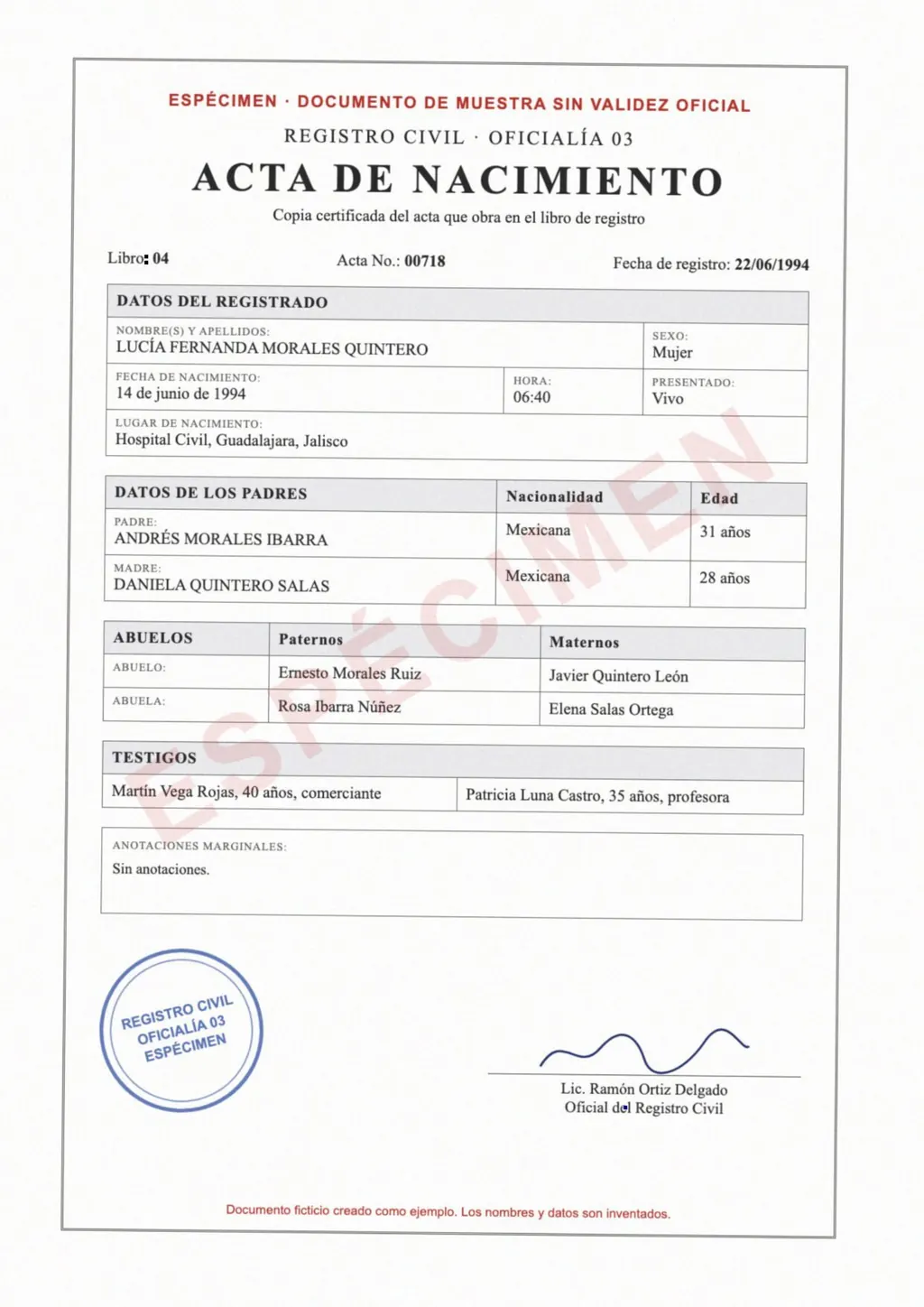
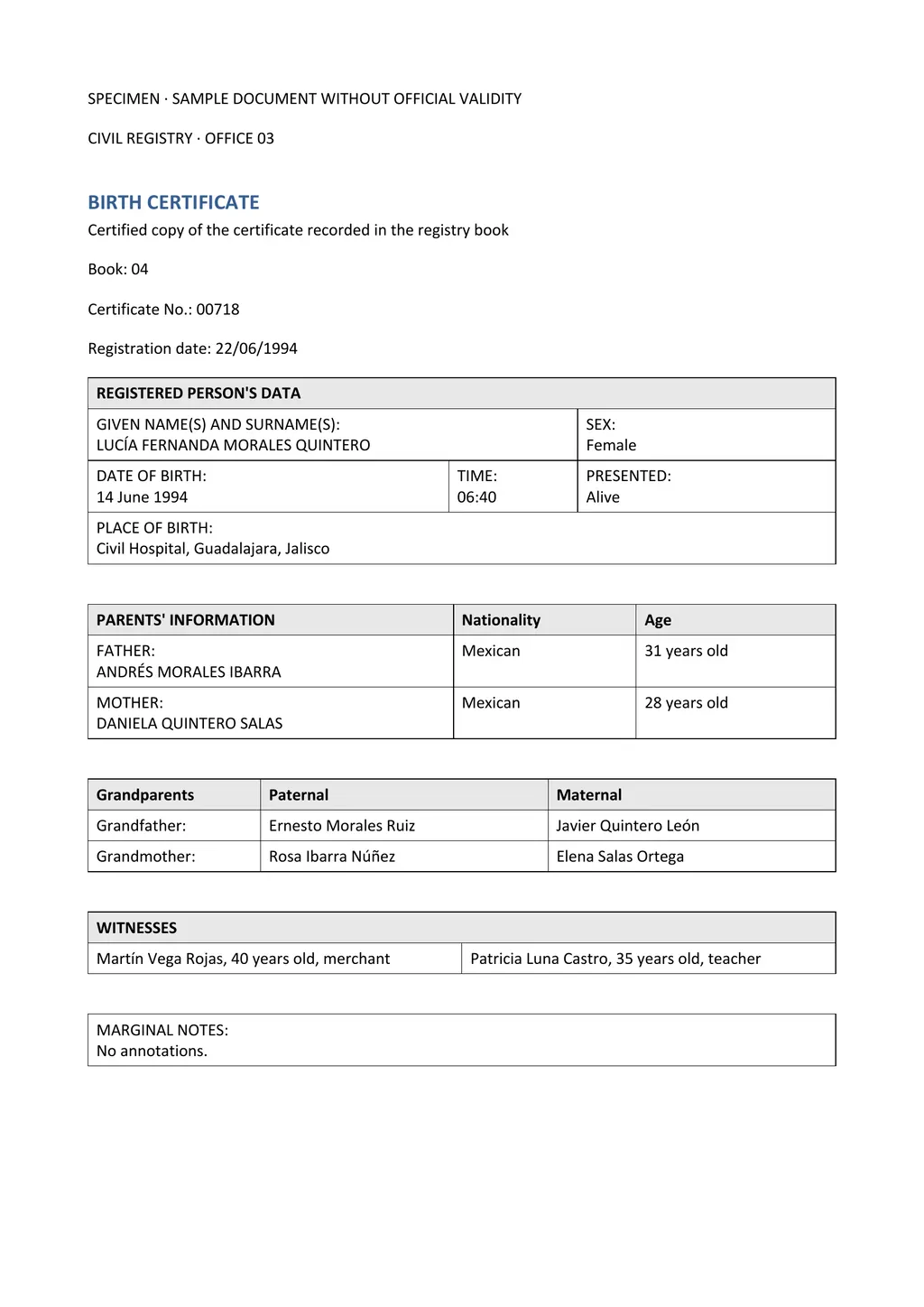
The specimen shown here came back with its tables, field order and header shading intact. The registrar's name stayed in Spanish, and the stamp text was not carried over, so it needs a bracketed note like the one in step 3.
Certificates from different countries
Mexican, Guatemalan, Honduran, Salvadoran, Colombian and Dominican certificates all use their own forms. Older certificates are often typed or handwritten. LoreAI reads the form you upload and keeps its layout, so you do not need a country-specific template.
Questions people ask
Should I translate the names?
No. Keep names as written, with both surnames and accents. Translate labels, places and notes.
What about the apostille on the back?
Translate it too. A translation for USCIS has to be complete, and the apostille is part of the document.
Can LoreAI read handwritten Spanish certificates?
It reads clear handwriting, but old registry books and faint ink cause mistakes. Check those parts carefully and mark anything unreadable as [illegible].
Is a Spanish to English translation by LoreAI certified?
No. LoreAI writes the translation. A person competent in both languages checks it and signs the certification.