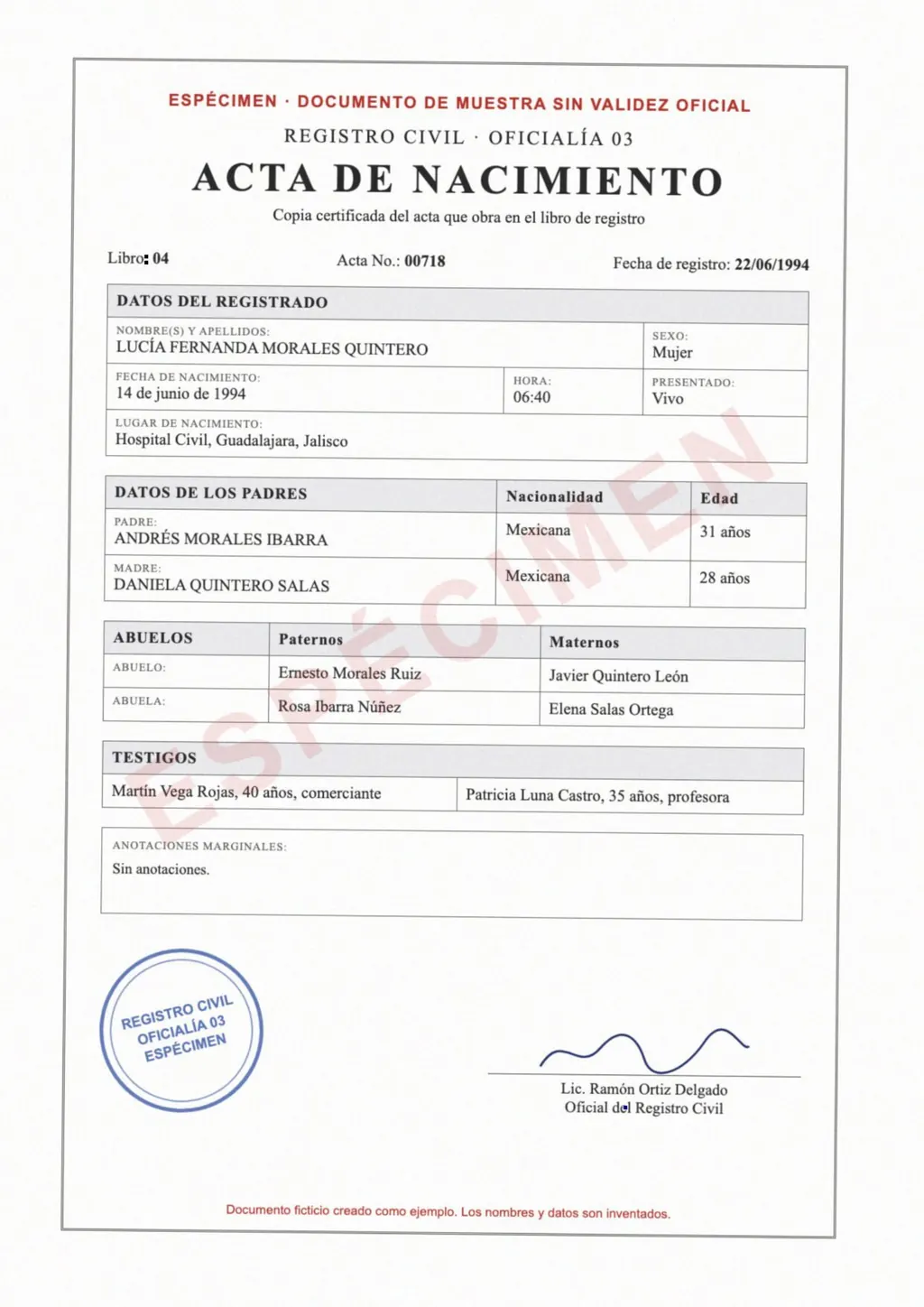
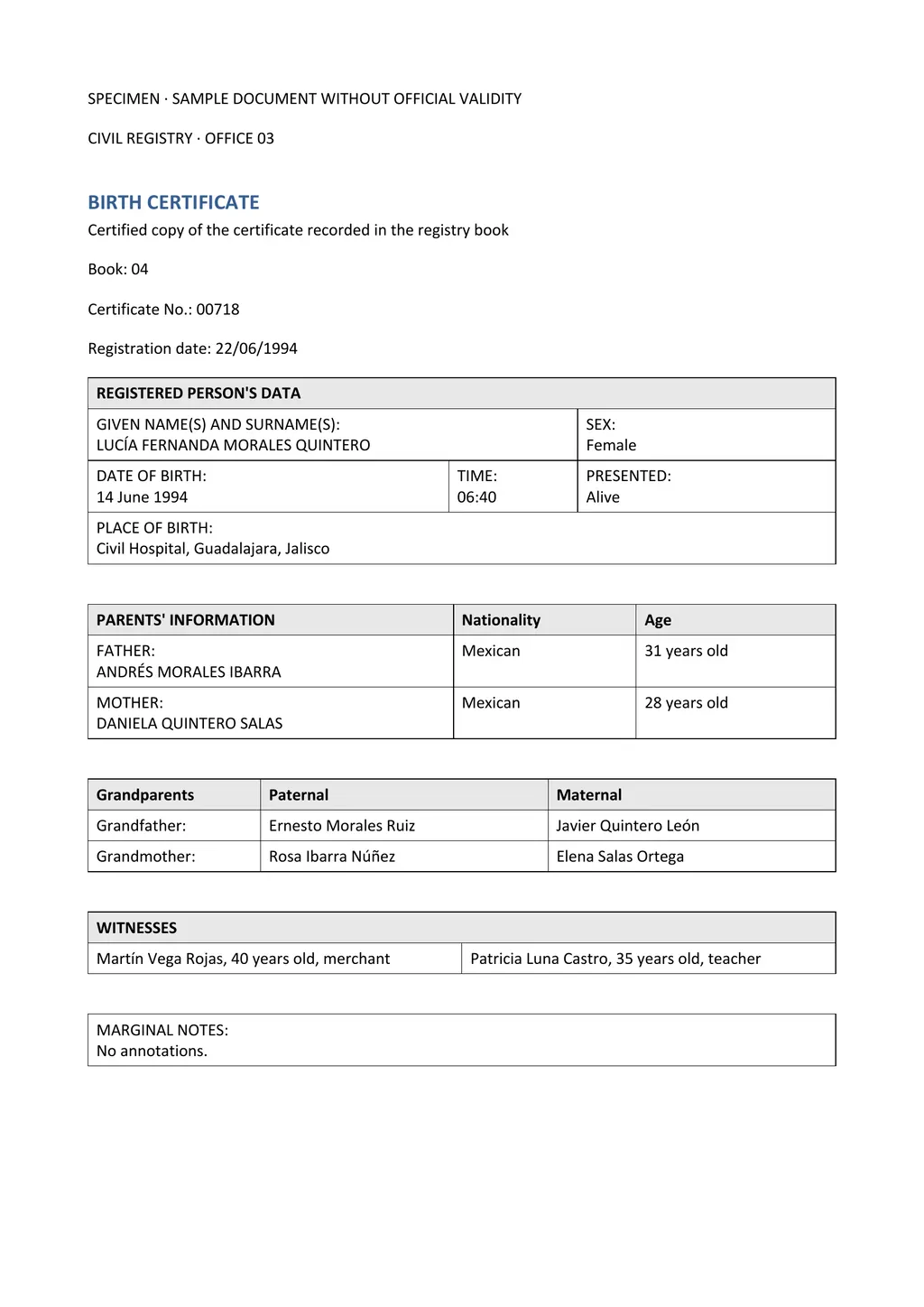
The template
The Word file follows the order of a typical civil registry certificate. Delete rows your certificate does not have, and add rows for anything it has that the template does not.
How to fill it in
- Copy names exactly as they appear, with every surname and accent. Do not translate or shorten names.
- Write dates the way the certificate does, or spell the month out (14 June 1994) so nobody misreads day and month.
- Translate labels and places. Keep official names of offices in the original language in brackets when there is no exact English term, for example Civil Registry (Registro Civil).
- Describe what is not text in brackets: seals, signatures, coats of arms, handwritten notes, and anything you cannot read.
- Translate the back of the certificate too, including apostilles and margin notes.
- Finish with the translator's certification, signed and dated. Use the certificate of translation template.
Why a generic template often does not fit
Certificates differ by country and by year. A Mexican acta, a Guatemalan certificate and a Colombian registro civil put different fields in different places, and receivers compare the translation with the original side by side. A translation that follows the original layout is easier for them to check.
LoreAI builds that layout from your actual certificate. You upload the scan, and the Word file comes back with the same tables and field order, already translated. You then check it and add the certification, the same as with a template.
Questions people ask
Will USCIS take this template?
USCIS does not publish or approve translation templates. It asks for a full English translation and a signed translator's certification. A filled-in template can meet that when it covers everything on the certificate and the certification is signed and complete.
Is there a template for Mexican birth certificates?
Mexican certificates have their own fields, such as CURP and the registry office number. Instead of adapting a generic template, upload the certificate to LoreAI and the Word file will follow the Mexican layout. The Spanish to English guide lists the common terms.
Can I use the template for free?
Yes. Copy the text above or download the Word file. Translating your certificate with LoreAI is also free for your first document.
Who should sign the certification?
Someone competent in both languages who has checked the translation against the original. Some receivers prefer that this is not the applicant.