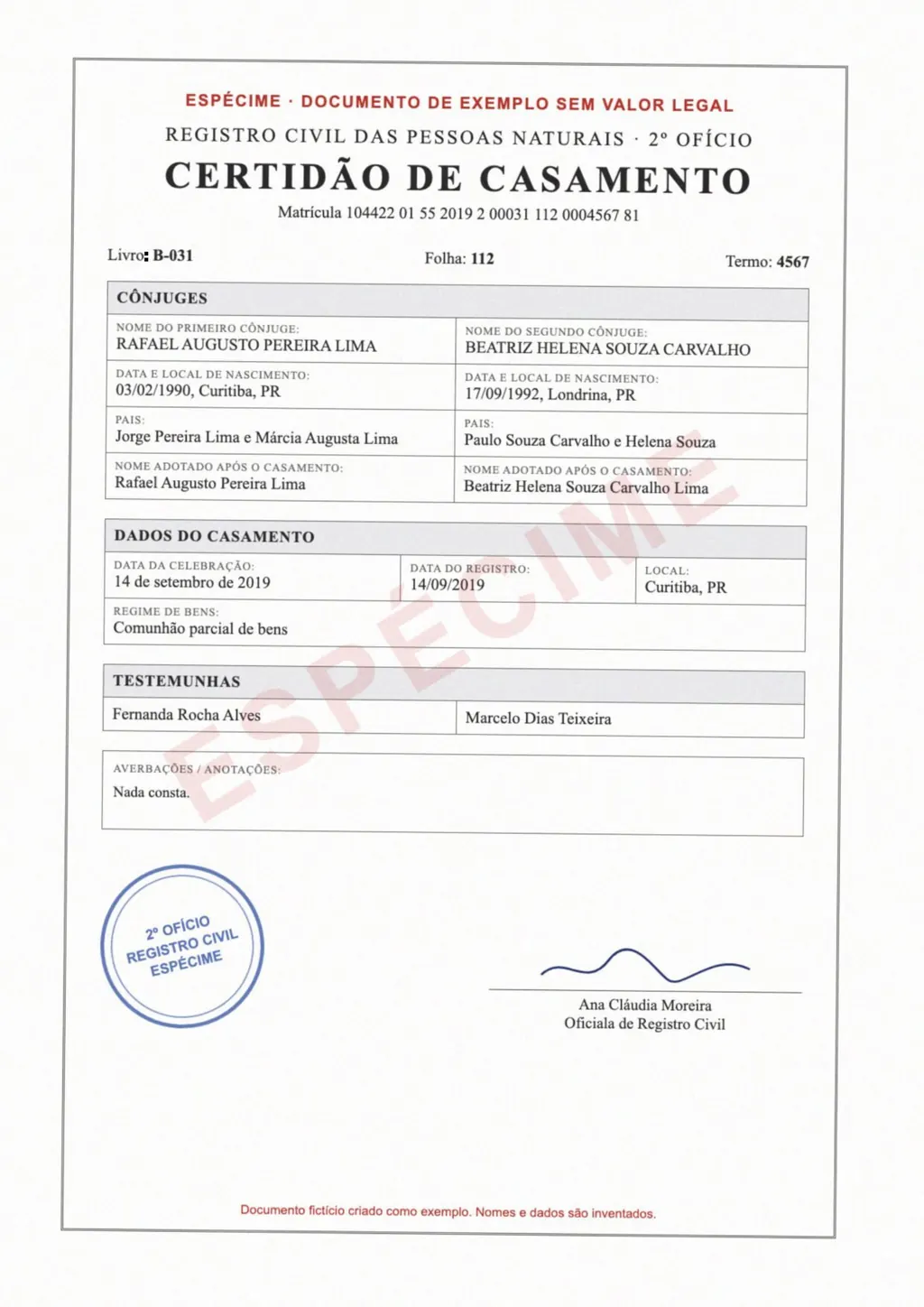
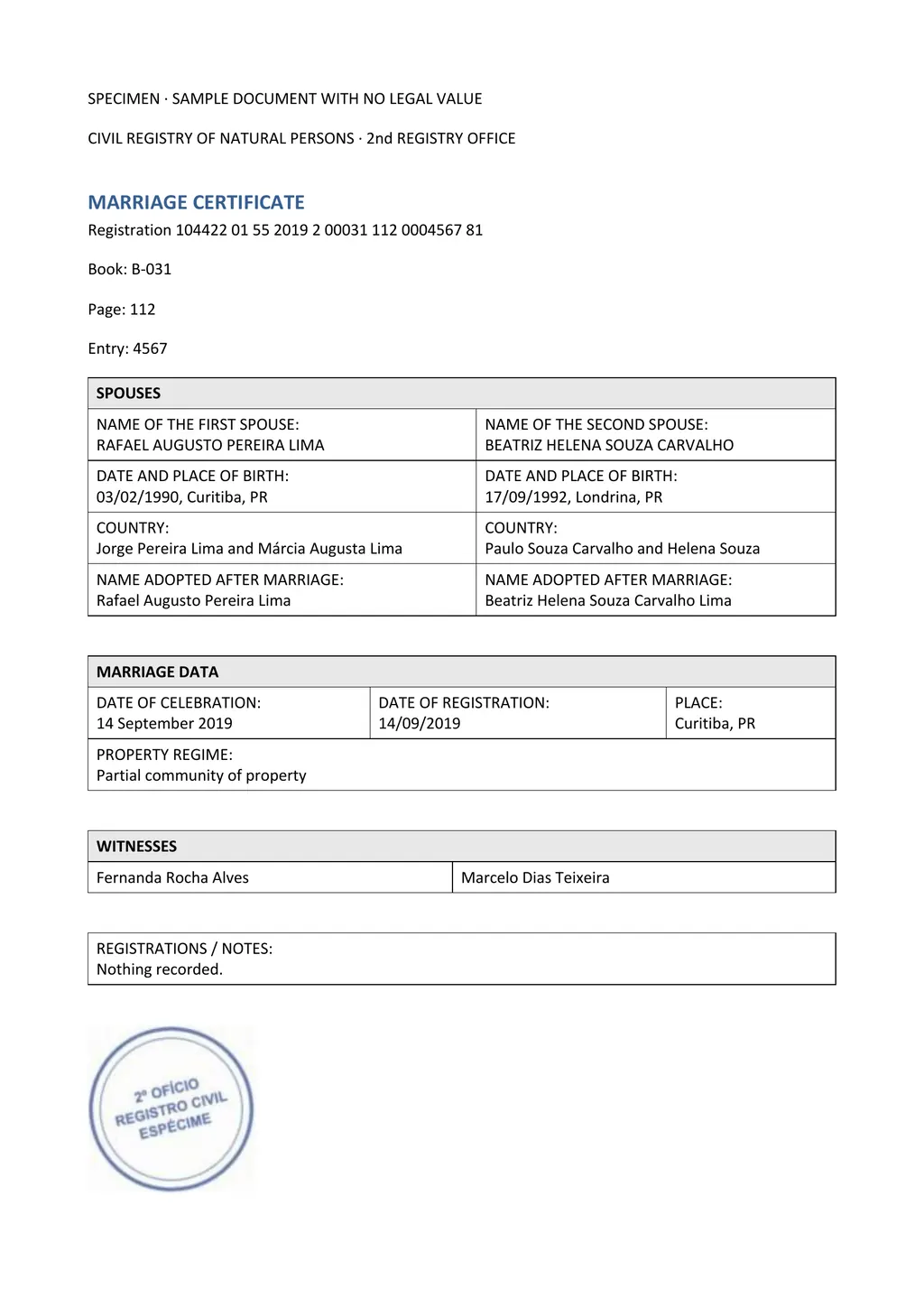
The template
The fields follow the order most civil registries use for a marriage entry. Rows your certificate lacks can go, and anything extra on your certificate, such as a prenuptial regime or a later annotation, gets a row of its own.
Free to use and share, including for clients. If you publish it, please link to this page:
<a href="https://www.loreai.org/marriage-certificate-translation-template">Marriage certificate translation template</a>How to fill in each part
- Copy both spouses' names letter for letter, with every surname and accent. A name that changed at marriage keeps both forms, exactly as the certificate shows them.
- Write the date of marriage with the month in words, for example 3 May 2019, so day and month cannot be swapped.
- Translate the marital status before marriage (single, divorced, widowed) and the property regime, such as separation of property or community property, and keep the original term in brackets when it has no exact English match.
- List every witness the certificate names, with ID numbers as written.
- Describe seals, stamps, signatures and handwritten notes in square brackets. Mark anything you cannot read as [illegible].
- Translate annotations in the margin or on the back, such as a later divorce note or an apostille.
- Attach the signed translator's certification on the second page. The wording is in the certificate of translation template.
Marriage certificates differ more than birth certificates
A Mexican acta de matrimonio states the marital property regime. A Portuguese certidão de casamento lists the spouses' parents and later annotations. A Philippine certificate records the marriage license number, and a church certificate may stand next to the civil one. A single template cannot show all of these in the right order, and the person checking your file compares the translation with the original line by line.
LoreAI follows your certificate instead. Upload the scan or a phone photo, and the Word file comes back translated in the same field order, with tables kept and names, dates and numbers as written. Then add the certification page, as you would with the template.
Questions people ask
Is this a USCIS marriage certificate translation template?
It includes the certification page that USCIS asks for. USCIS does not publish or approve templates. It asks for a complete English translation and the translator's signed certification that it is complete and accurate and that they are competent to translate.
Is there a sample of a filled-in marriage certificate translation?
The example on this page shows a Portuguese marriage certificate and its English translation in Word, side by side. It is the layout LoreAI returns for an uploaded certificate.
Can my spouse translate and certify our marriage certificate?
USCIS asks for a translator competent in both languages. Many applicants ask someone outside the marriage to sign so nobody questions the translation.
Can I edit the template in Google Docs?
Yes. Upload the .docx to Google Drive and open it with Google Docs, or copy the text above into a new document.
Is the template free?
Yes. Copy the text or download the Word file. Translating your own certificate with LoreAI is free for your first document.