Five iPhone scanner apps at a glance
| What you need | Notes (Apple) | Adobe Scan | Scanner Pro | CamScanner | Prizmo |
|---|---|---|---|---|---|
| Scan to PDF | Yes, saved in the note[1] | Yes[2] | Yes[4] | Yes[5] | Yes[6] |
| Text recognition | Scan Text inserts text into a note[1] | OCR makes words searchable and editable[2] | Searchable text layer[4] | OCR in 41 languages[7] | Three OCR engines, over 100 languages[6] |
| Word export | No | Export to Word, Excel or PowerPoint[2] | PDF, Word, PowerPoint or JPG[3] | PDF, JPG, Word or TXT[5] | Layout-preserving DOCX[6] |
| Handwriting | Not listed | Edit in text reads handwritten text[2] | Not listed | Not listed | With the Cloud OCR plan[6] |
| Translation | Use the Translate app separately | Not listed | Translator tool, 20+ languages on iOS 26[4] | AI photo translation[7] | AI translation on Mac[6] |
| Price | Free, built in | Free with in-app purchases[2] | Free with in-app purchases[3] | Free with in-app purchases[5] | Free download, paid packs and plans[6] |
Notes: the free scanner already on your iPhone
Open a note, tap the attachment button and choose Scan Documents. The iPhone captures the page as soon as it finds the edges, you add more pages, and the result is saved as a PDF inside the note[1]. Scan Text, in the same menu, drops the recognized text of a page straight into the note[1].
For a receipt, a signed form or a page you only need to send, Notes is enough. It does not export to Word, so a multi-page form you want to edit needs another step.
Adobe Scan, Scanner Pro and CamScanner
Adobe Scan is free to download and makes words in a scan searchable and editable with OCR[2]. It exports scans to Word, Excel or PowerPoint, and its Edit in text feature works on handwritten text as well. Adobe's listing says a subscription raises OCR capacity from 5 to 100 pages[2]. See how it handles notes on the Adobe Scan handwriting page.
Scanner Pro from Readdle adds a searchable text layer, exports as PDF, JPEG or TXT, and syncs across iPhone, iPad and Mac[4]. On iOS 26 its Translator tool uses Apple's system translation for 20+ languages[4]. Readdle sells Scanner Pro Plus as an in-app purchase[3]. More on the Scanner Pro page.
CamScanner recognizes text in 41 languages and offers AI photo translation[7]. It saves scans as PDF, JPG, Word or TXT, and a subscription gives unlimited access to all features[5]. More on the CamScanner OCR page.
Prizmo: three OCR engines and handwriting
Prizmo from Creaceed runs on iPhone, iPad and Mac and offers on-device OCR plus a Cloud OCR option for handwriting and more languages[6]. It exports PDF, images and layout-preserving Word documents. A Premium Pack, bought once, removes the limits on iPhone, and the Cloud Plan subscription adds handwriting[6]. More on the Prizmo page.
What scanner apps leave to you
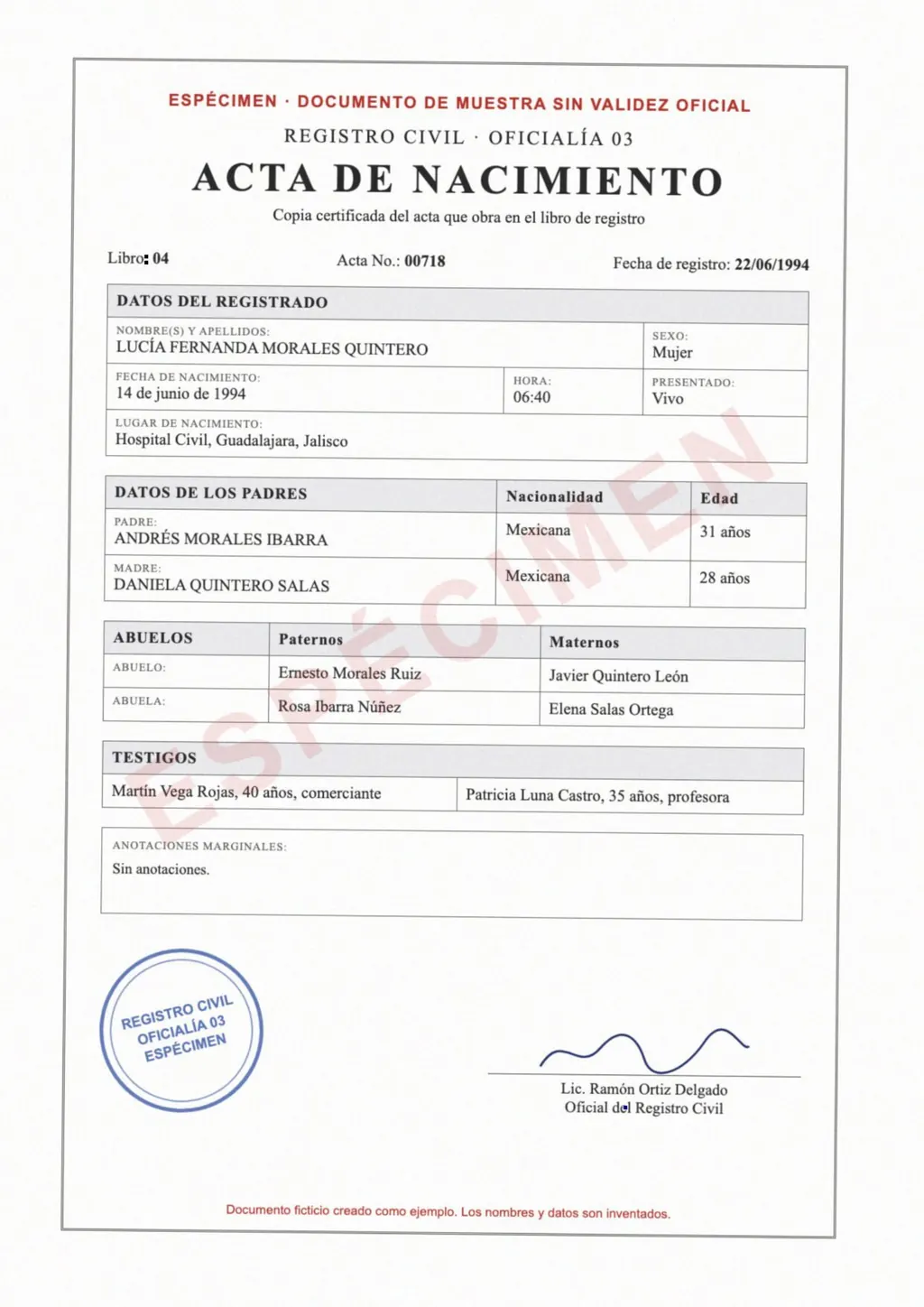
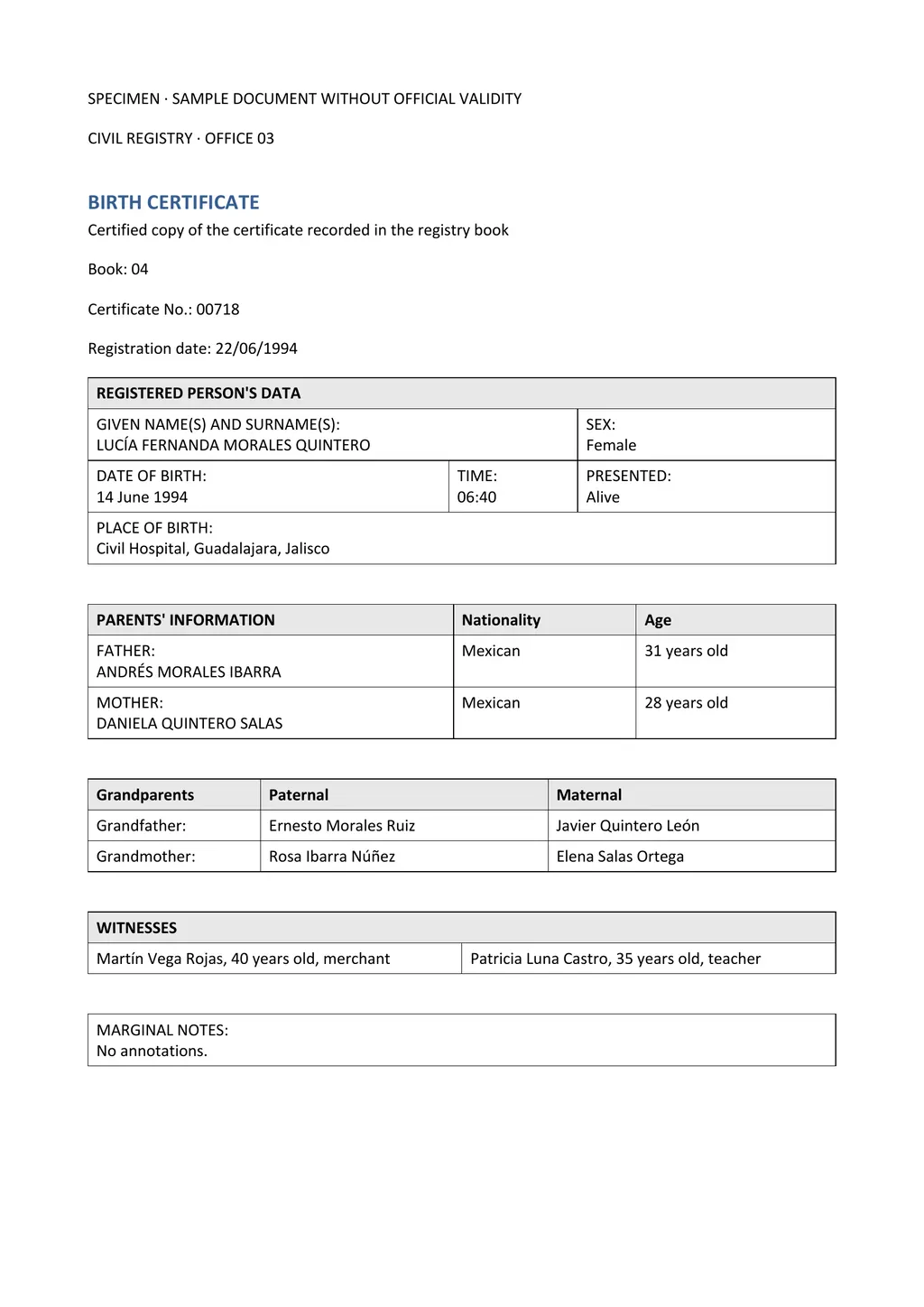
Every app above turns paper into a clean image and, in most cases, a searchable PDF. A scanner app is the first half of the job when the document is in a language you need to change, such as a Mexican birth certificate for a US form or a German transcript for a university application.
LoreAI does the second half. Upload the scan or a photo from your camera roll, pick the language, and download an editable Word file. LoreAI reads the page with OCR, including stamps and handwriting, translates it into any of 105 languages, and rebuilds the tables in Word with names, dates and numbers as written.
- Scan with any app above. Save the result as a PDF, or keep the photo.
- Upload it to LoreAI. Your first document is free, up to 3 pages.
- Download the Word file. Edit it in Word, Pages or Google Docs.
Which iPhone scanner app should you pick?
- Free and built in, for sending a PDF: Notes.
- Searchable PDFs and Word export from an Adobe account: Adobe Scan.
- One app on iPhone, iPad and Mac with fax and translation: Scanner Pro.
- Many export formats and photo translation: CamScanner.
- The most OCR control, handwriting and a pay-once option: Prizmo.
- A translated, editable Word file from any of these scans: LoreAI. For more tools, see scan a document to Word.
Questions people ask
Does the iPhone have a built-in document scanner?
Yes. In Notes, tap the attachment button, then Scan Documents. The scan is saved as a PDF in the note[1].
What is the best free scanner app for iPhone?
Which iPhone scanner app exports to Word?
Sources
- Apple iPhone User Guide: Scan text and documents in Notes using the iPhone camera, accessed November 6, 2026
- App Store: Adobe Scan: PDF Scanner, OCR, accessed November 6, 2026
- App Store: Scanner Pro, Scan to PDF, accessed November 6, 2026
- Readdle: Scanner Pro, accessed November 6, 2026
- App Store: CamScanner, PDF Scanner App, accessed November 6, 2026
- Creaceed: Prizmo, pro scanning app with OCR, accessed November 6, 2026
- CamScanner: AI PDF Scanner, OCR and Online PDF Tools, accessed November 6, 2026
By Matt Mountain ·