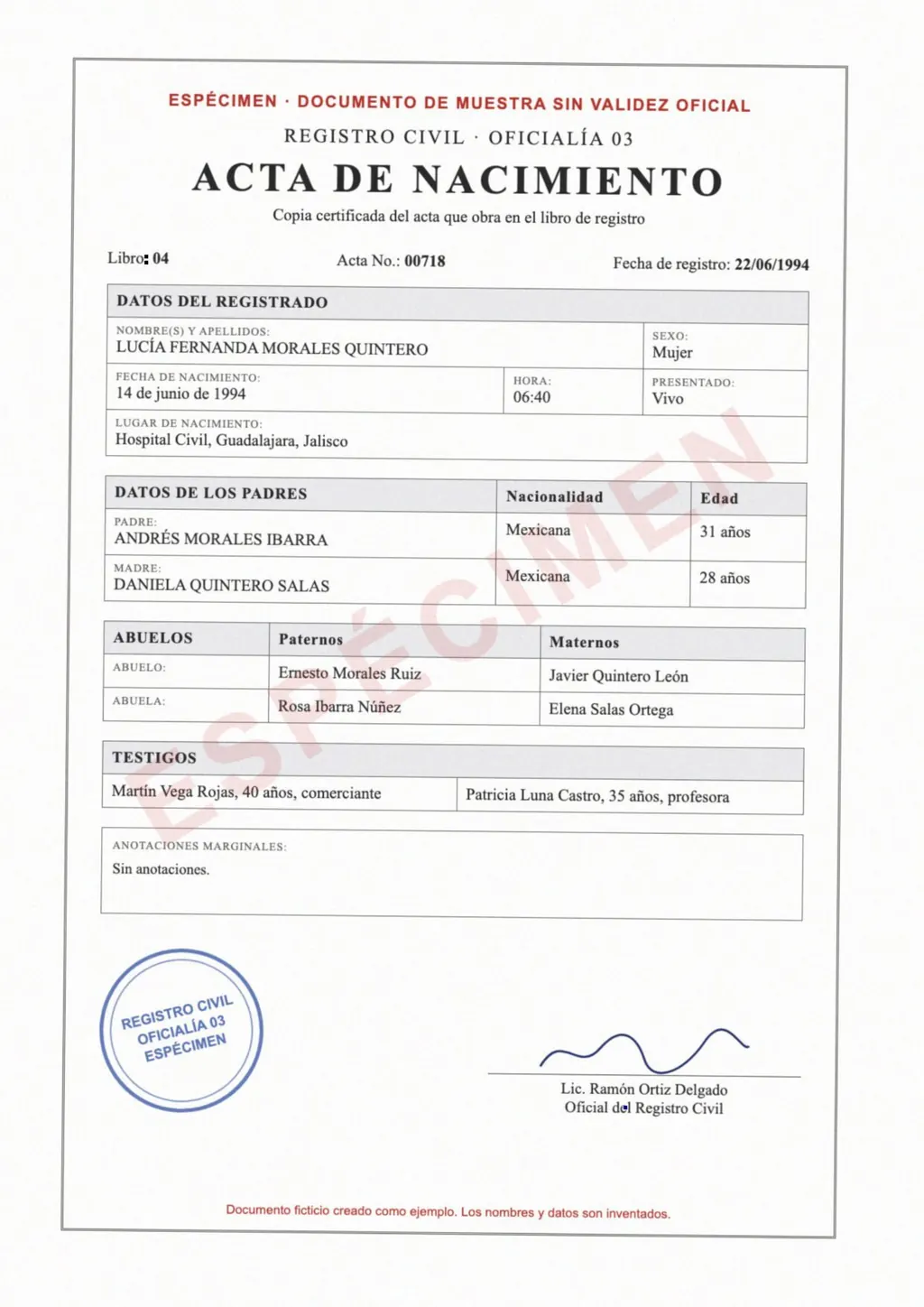
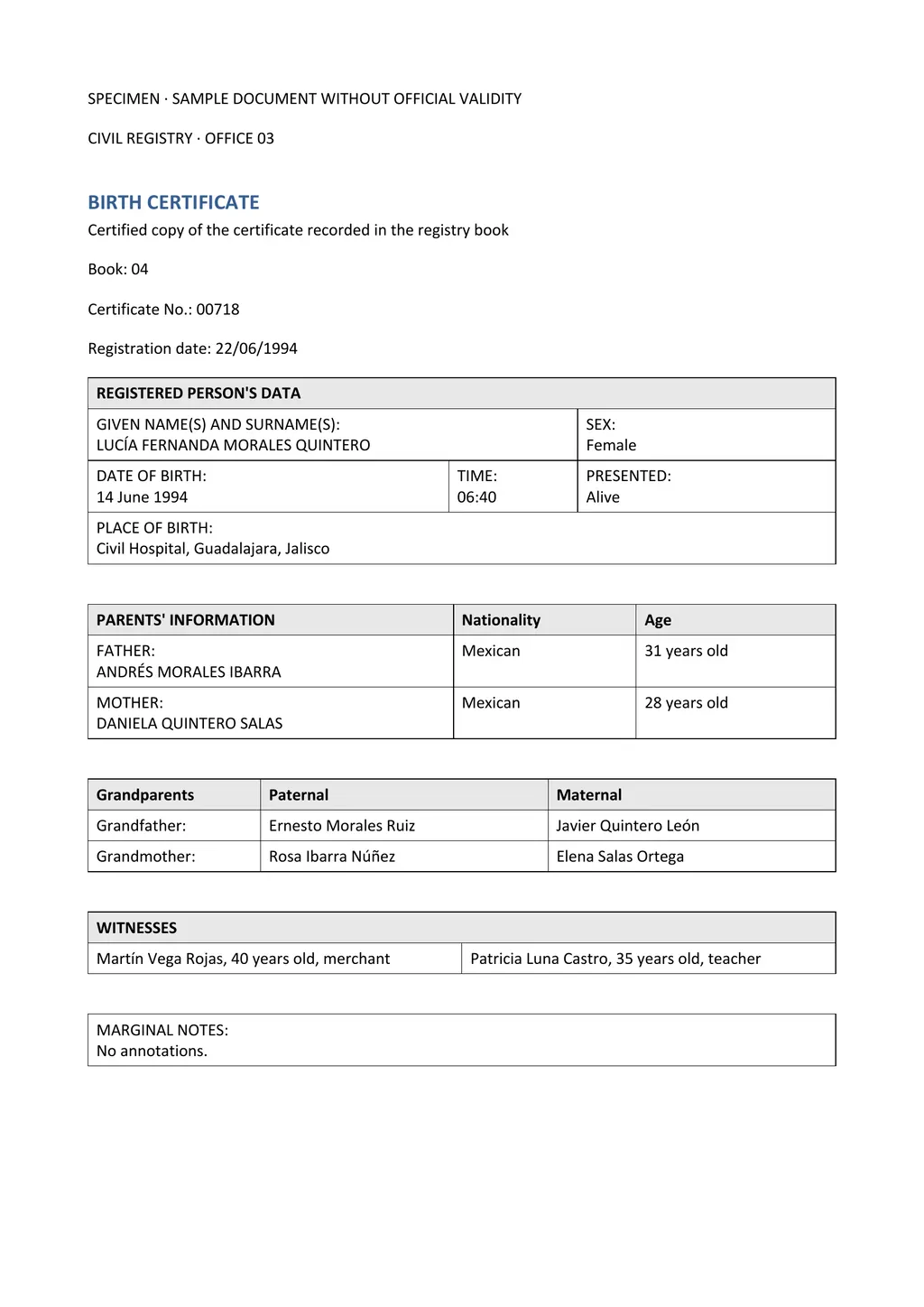
What CamScanner does
CamScanner is a scanner app from INTSIG for phones, tablets and computers. It detects page edges, corrects perspective and removes shadows, then stores scans as multi-page PDF or JPG files[1][2]. Apps are available for iOS, Android, HarmonyOS, macOS and Windows, along with a web app[1].
- OCR languages
- 41, including Chinese, English, Japanese and Korean[1]
- Export formats
- PDF, JPG, Word or TXT[2]
- Conversions
- PDF to and from Word, Excel, PowerPoint and JPG[1]
- Translation
- AI photo translation[1]
- Online tools
- PDF to Word, Image to Text and other converters in the browser[1]
- Price
- Free download; subscriptions billed weekly, monthly, quarterly or yearly[2]
How to get text out of a scan with CamScanner
- Scan the document in the app. Capture each page; the app crops and straightens it.
- Run text recognition. CamScanner extracts the text with OCR.
- Export the result. Save it as PDF, JPG, Word or TXT, or share it to another app or cloud drive.
CamScanner's App Store listing describes extracting text from any scannable object with OCR and saving to these formats[2]. Unlimited use of every feature is part of the subscription[2].
Where LoreAI fits
CamScanner is built around capturing and managing paper on your phone. LoreAI is built for one job after the scan: turning a document into an editable Word file in another language.
Upload the PDF CamScanner saved, or a photo, and LoreAI reads it with OCR, including stamps, seals and handwriting. It translates into any of 105 languages, detects the source language and rebuilds headings, lists and tables in Word. Names, dates and numbers stay exactly as written, and names in non-Latin scripts are romanized.
CamScanner and LoreAI side by side
| What you need | CamScanner | LoreAI |
|---|---|---|
| File types | Camera scans; PDF and Office files in the converter[2] | PDF, JPG and PNG |
| Scanned pages | Text extracted with OCR, 41 languages[1] | Read with OCR, then translated |
| Photo of a document | Scanned in the app[2] | Upload the JPG or PNG directly |
| What you download | PDF, JPG, Word or TXT[2] | A translated, editable Word file (.docx) |
| Translation | AI photo translation[1] | Whole document, into 105 languages |
| On a phone | iOS, Android and HarmonyOS apps[1] | Works in a phone browser, no app |
| Price | Free download; subscription for unlimited access[2] | First document free, then Basic at $12.99 a month |
How to translate a CamScanner scan with LoreAI
- Export the scan from CamScanner as a PDF. Or keep the photos.
- Upload it to LoreAI. Your first document is free, up to 3 pages.
- Choose the language and download the Word file. Tables come back as Word tables.
Compare other scanner apps on the best scanner app for iPhone page and the Scanner Pro page. For a same-language Word file, see scan a document to Word.
Neither one certifies a translation
LoreAI is not a certified translation service. When USCIS, a court or a university asks for a certified translation, a translator signs a statement about it. The guide to getting a certified translation explains the steps.
Questions people ask
Does CamScanner have OCR?
Yes. CamScanner says its OCR extracts text in 41 languages[1].
Is CamScanner OCR free?
The app is free to download, and a subscription gives unlimited access to all features[2].
Can CamScanner export to Word?
Yes. The app saves documents as PDF, JPG, Word or TXT[2].
What is a good CamScanner alternative for translating documents?
LoreAI. Upload the scan or a photo and download an editable Word file in any of 105 languages, with the tables rebuilt.
Sources
- CamScanner: AI PDF Scanner, OCR and Online PDF Tools, accessed November 6, 2026
- App Store: CamScanner, PDF Scanner App, accessed November 6, 2026
By Matt Mountain ·