How to translate a document in Google Docs
- Open the document in Google Docs on a computer. The menu item is in the desktop version of Docs.
- Click Tools, then Translate document. A small window opens for the new copy.
- Name the copy and choose the language. Type a title for the translated document and pick the target language.
- Click Translate. A translated copy opens in a new window. It is also saved in your Google Drive.
These are the steps on Google's help page[1]. Your original stays as it was, and the translation is a separate document you can edit and share.
Why Translate document is missing from the Tools menu
If Translate document is not in the Tools menu, the file is probably open in Microsoft Office editing mode. Google's fix is to convert the file to Google Docs format first[1]. A .docx you uploaded to Drive often opens this way.
A PDF or an image cannot be translated from the Tools menu directly. It has to become a Google Doc first, and for a scan that means OCR.
Translating a scanned PDF through Google Drive and Docs
Google Drive reads PDFs and photos (.jpeg, .png and .gif) with OCR when you right-click the file and choose Open with Google Docs[2]. Google advises files of 2 MB or smaller, text at least 10 pixels high and pages turned right side up[2]. The result is a Google Doc you can then translate with Tools, Translate document.
The catch is the layout. Google's help page says bold, italics, font size and line breaks are likely to be kept, but lists, tables, columns, footnotes and endnotes are not likely to be detected[2]. On a birth certificate, a transcript or a bank statement, the tables carry the meaning, so the translated copy needs rebuilding by hand.
Google Translate's own Documents tab is no shortcut. It takes PDFs up to 10 MB and 300 pages, but text in scanned pages appears in the output untranslated[3].
Google Docs and LoreAI side by side
| What you need | Google Docs and Drive | LoreAI |
|---|---|---|
| File types | Google Docs; PDFs and .jpeg, .png, .gif through Drive OCR[2] | PDF, JPG and PNG |
| File size for scans | 2 MB or smaller advised for OCR[2] | Free 3 MB, Basic 10 MB, Pro 25 MB |
| Scanned pages | OCR first in Drive, then translate the Doc[2][1] | Read with OCR and translated in one upload |
| Tables and lists | Not likely detected by Drive OCR[2] | Kept in the original order |
| What you get | A translated Google Doc in Drive[1] | An editable Word file (.docx) |
| On a phone | Translate document steps are for a computer[1] | Works in a phone browser |
| Price | Free with a Google account | First document free, then Basic at $12.99 a month |
When Google Docs is enough
Google Docs translation is free and takes four clicks. For a document you typed in Docs, a letter, notes or a draft, it gives you a translated copy you can fix and share in the same place. Teams that already work in Drive keep everything in one account.
When LoreAI saves you the rebuild
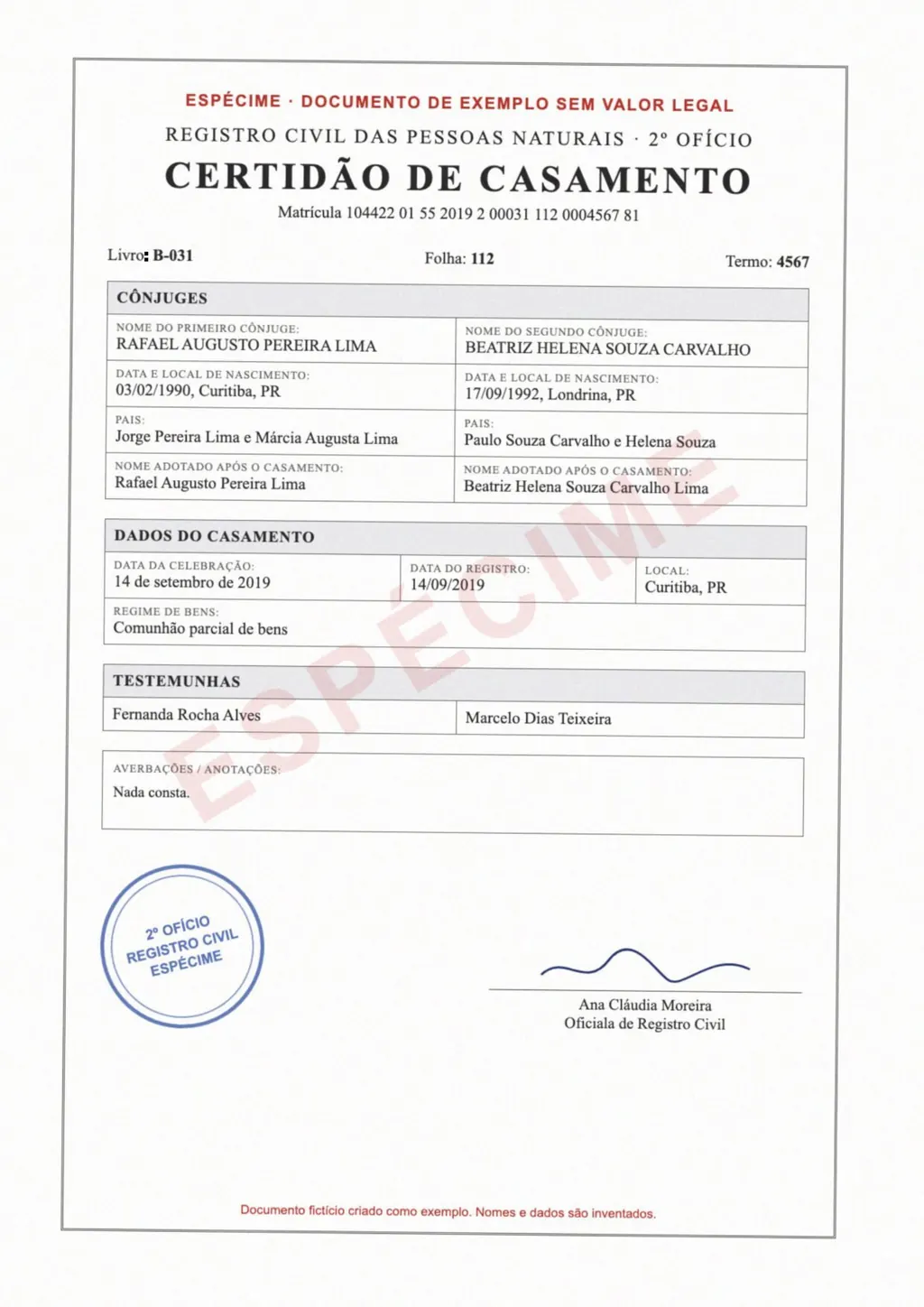
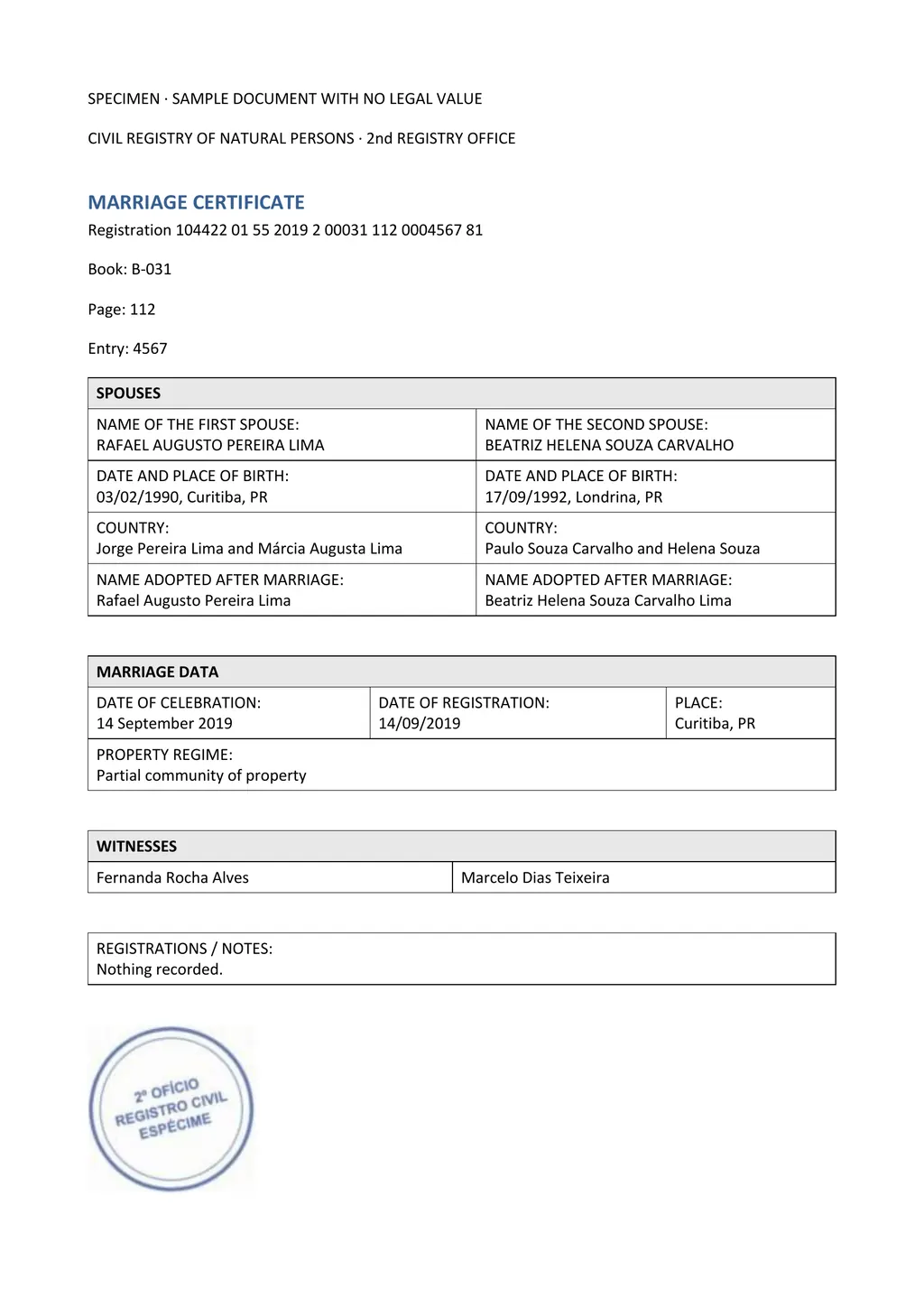
LoreAI starts from the scan or the phone photo. It reads the page with OCR, detects the language, translates into any of 105 languages and rebuilds the page in Word. Headings, lists and tables stay in their original order, names, dates and numbers stay as written, and stamps and handwriting are read with the printed text.
- For a document you typed in Google Docs, use Tools, Translate document.
- For a scan of one page of plain text, Drive OCR and Docs translation work.
- For a scanned certificate, form or statement with tables, use LoreAI and open the result in Word or upload it back to Docs.
Neither one certifies a translation
LoreAI is not a certified translation service, and Google Docs is not one either. For USCIS, the translator certifies that the translation is complete and accurate and that they are competent to translate the language[4]. Read how to get a certified translation for the steps.
Questions people ask
How do I translate a Google Doc into English?
Open it on a computer, click Tools, then Translate document, choose English and click Translate. Google creates a translated copy in your Drive[1].
Can Google Docs translate a PDF?
Why did my tables disappear when I translated a scan in Google Docs?
Drive's OCR is not likely to detect lists, tables, columns or footnotes[2], so the Doc you translate is mostly plain text. LoreAI keeps tables in the Word file it returns.
Can I translate Google Docs on my phone?
Google's steps for Translate document are for the computer version of Docs[1]. LoreAI works in a phone browser.
Is LoreAI free to try?
Your first document is free, up to 3 pages, and no card is needed. After that, Basic costs $12.99 a month for 200 pages.
Sources
- Google Docs Editors Help: Translate documents or write in a different language, accessed November 5, 2026
- Google Drive Help: Convert PDF and photo files to text, accessed November 5, 2026
- Google Translate Help: Translate documents and websites (computer), accessed November 5, 2026
- 8 CFR 103.2(b)(3), Translations, Cornell Legal Information Institute, accessed November 5, 2026
By Matt Mountain ·