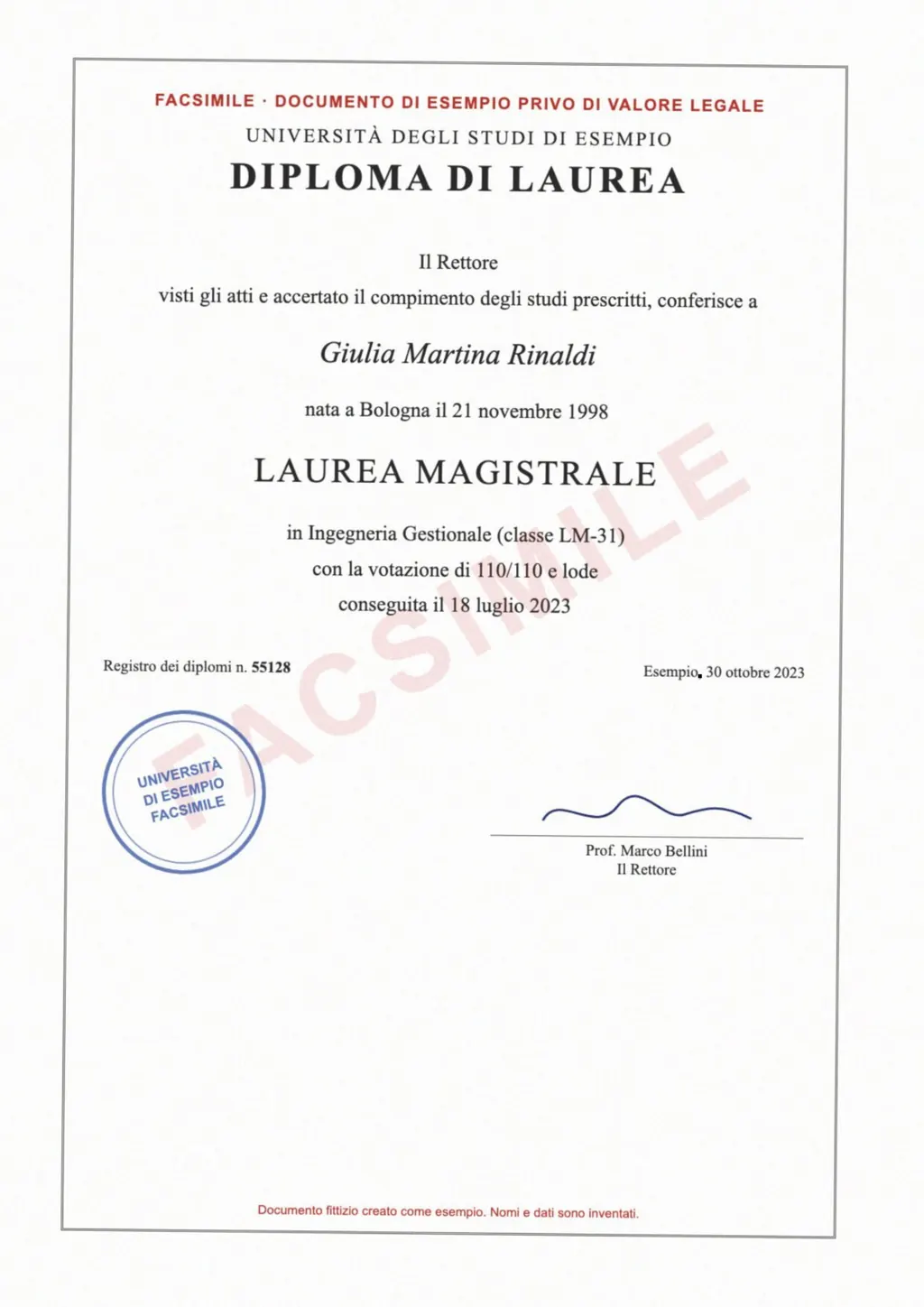
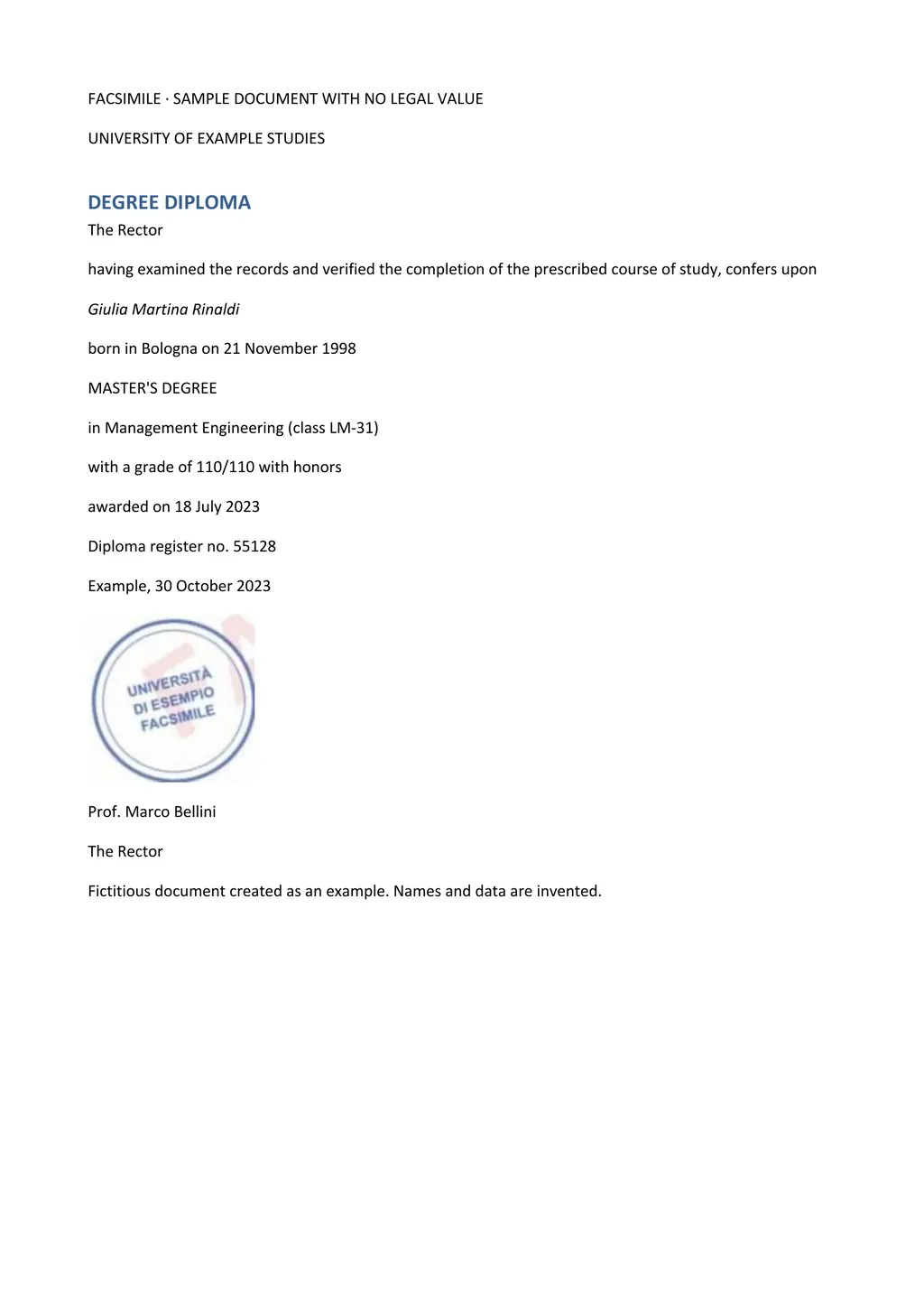
How to translate a PDF online with LoreAI
- Create a free account. Your first document is free, up to 3 pages and 3 MB.
- Upload the PDF. A typed PDF, a scanned PDF and a phone photo saved as JPG or PNG all work. You don't need to say which one it is.
- Pick the target language. LoreAI detects the source language on its own. You only choose the language you want back.
- Download the Word file. Headings, lists and tables come back in the order of the original page. Names, dates and numbers are written as they appear on the PDF.
If you only need the text in its own language, choose OCR Only instead of OCR + Translate. You get the same Word file without the translation step.
Does your PDF have text, or a picture of text?
Open the PDF and try to select one word with the mouse. If the word highlights, the file has a text layer, and almost any PDF translator can read it. If the whole page highlights as one block, or nothing happens, you have a scan. Phone scanner apps and office copiers usually produce this kind of file.
The difference decides which tools work. Google's help page says text in images and scanned PDF pages shows up in the output document but is not translated[1]. DeepL recommends its desktop and mobile apps for scanned documents and says PDF translation relies on OCR, so it may have a higher error rate[2]. Doclingo's help center says full translation of a scanned document needs its paid VIP access[3].
Free PDF translators and their limits
| Option | Scanned pages | Limits | What you download |
|---|---|---|---|
| Google Translate, Documents tab | Shown in the output but not translated[1] | 10 MB and 300 pages per PDF[1] | A translated document[1] |
| DeepL | Translates the text it extracts, and points to its apps for scans[2] | A free account to start, no size limit stated on its PDF page[2] | .pdf or .docx with DeepL Pro[2] |
| Doclingo, Free Translation | Full scanned translation needs VIP[3] | Up to 100 translations a day and 5 million characters a month outside mainland China[4] | The translated version, a bilingual version or Markdown[5] |
| LoreAI | Read with OCR, then translated | First document free, 3 pages and 3 MB | An editable Word file (.docx) |
We did not run these four tools side by side for this page. The table repeats what each company states on its own pages on the date in the caption. For a typed PDF that you only need to read, Google Translate is free and needs no account. For a scan you need to edit or hand in, the OCR step is what matters.
Will the translation keep the layout and tables?
LoreAI does not paint the translation back onto the PDF page. It rebuilds the document in Word, so a table on a transcript becomes a Word table you can edit, and a heading stays a heading. Fonts and exact positions follow Word's defaults, not the scan.
That trade suits forms, certificates and records, where someone will correct a name or add a signature line before sending. If you need a PDF in the end, open the Word file, check it and save it as PDF.
What happens to your file afterwards?
LoreAI deletes the uploaded PDF right after reading it. The translated Word file is deleted about an hour later, unless you turn on Keep my translated documents in your account.
Other tools keep files longer. Doclingo's help center says documents of free registered users are stored for 7 days, and that guest users have to register with an email address before they can download a translation[5].
Check names and numbers before you send it
A machine translation of a scan carries two kinds of error. OCR can misread a character, most often in long ID or account numbers. The translation can then pick the wrong word for a term of art. Compare every number in the Word file with the original, digit by digit.
If an office wants a certified translation, a PDF translator is only the first step. A person who knows both languages checks the file and signs a statement. The guide to getting a certified translation covers that part, and translating a scanned PDF has tips for getting a clean scan.
Questions people ask
Is there a free PDF translator that works on scanned PDFs?
Google Translate's Documents tab is free, but it leaves text in scanned pages untranslated[1]. LoreAI translates your first document free, up to 3 pages, scans included.
Can I get a PDF back instead of a Word file?
LoreAI returns Word, so you can correct the text first. Save it as PDF from Word, Google Docs or LibreOffice when you are done.
Which languages can I translate a PDF into?
LoreAI translates into 105 languages and detects the source language for you, so a PDF in Portuguese, Ukrainian or Korean needs no extra setting.
Is a document translator different from a PDF translator?
Usually only in the file types. Google Translate's Documents tab takes .docx, .pdf, .pptx and .xlsx files[1]. LoreAI takes PDF, JPG and PNG, because it is built for scans and photos of paper documents.
Sources
- Google Translate Help: Translate documents and websites (computer), accessed November 2, 2026
- DeepL: PDF document translation, accessed November 2, 2026
- Doclingo Help Center: How to translate a scanned document, accessed November 2, 2026
- Doclingo Help Center: How to translate a document, accessed November 2, 2026
- Doclingo Help Center: How to download your translated document, accessed November 2, 2026
By Matt Mountain ·