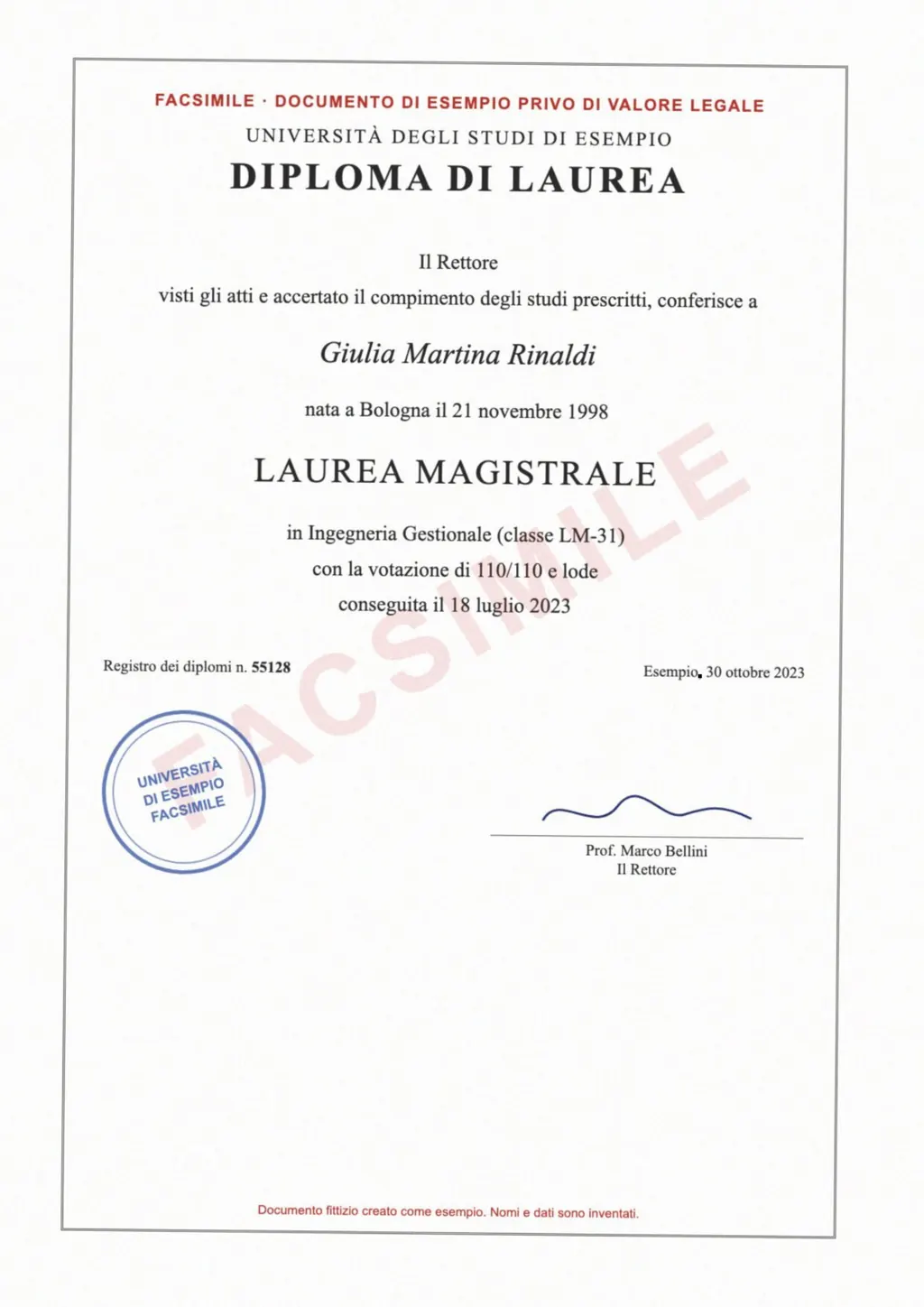
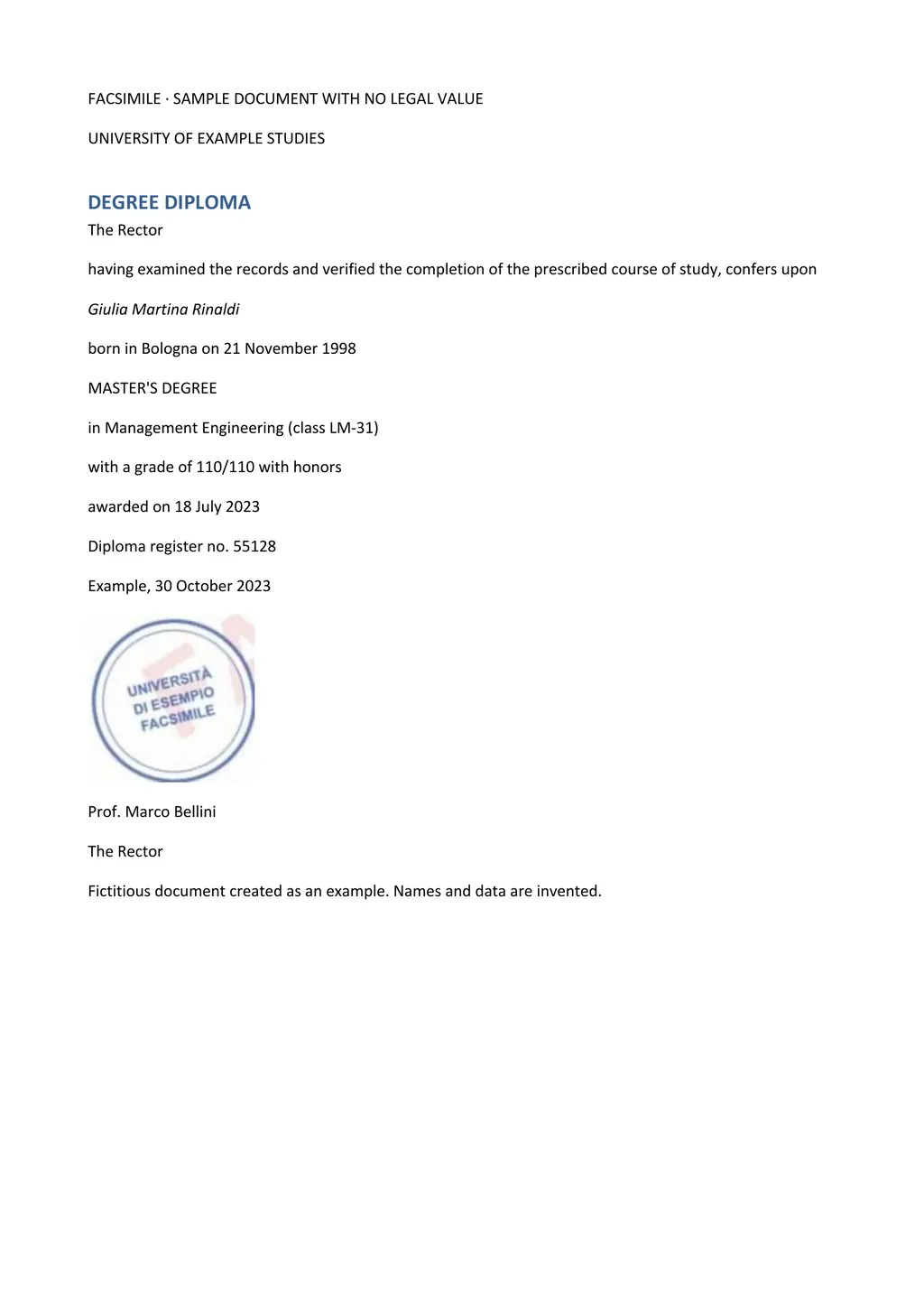
What accurate means for a document
For a sentence typed into a box, accuracy is about the words. For a document it covers three things, and a translator can fail on any of them.
- Every word is read
- A scan or a phone photo holds a picture of the text. The tool has to recognize it first, with OCR, or nothing gets translated.
- Every word is translated well
- Terms, names and register fit the document, so a diploma reads like a diploma.
- The page still makes sense
- Tables, field labels, dates and record numbers stay where they were, so the reader can match each line to the original.
A tool that is strong on the second point can still return a page full of untranslated text if it skips the first, or a single block of prose if it loses the third.
How the common translators handle a document
Google Translate takes .docx, .pdf, .pptx and .xlsx files up to 10 MB, and PDFs of up to 300 pages, in its Documents tab[1]. Text in images and scanned PDF pages appears in the output but is not translated[1].
DeepL translates scanned PDFs and recommends its desktop and mobile apps for them[2]. Pro users can download a translated PDF as .pdf or as an editable .docx file[2]. The free plan allows 1 file translation a month of up to 5 MB[3].
Smallpdf translates PDFs and recognizes text in scans with OCR, but says images and special layouts do not carry over into the translated document[4]. iLovePDF offers a Keep layout option that returns a PDF close to the original[5].
For a closer look at the two biggest names, read DeepL vs Google Translate. For chat assistants, see translating a document with ChatGPT.
Document translators side by side
| What you need | Google Translate | DeepL | LoreAI |
|---|---|---|---|
| File types | .docx, .pdf, .pptx and .xlsx[1] | PDF, Word and PowerPoint files[2] | PDF, JPG and PNG |
| File size | Up to 10 MB[1] | 5 MB on the free plan[3] | Free 3 MB, Basic 10 MB, Pro 25 MB |
| Scanned pages | Not translated[1] | Translated, apps recommended[2] | Read with OCR, then translated |
| Photo of a document | Not a Documents tab file type[1] | JPG, PNG and other images in the desktop and mobile apps[6] | Upload the JPG or PNG directly |
| What you download | A translated file in the upload's format | .pdf, or .docx for Pro users[2] | An editable Word file (.docx) |
| Price | Free | Free plan with 1 file a month[3] | First document free, then Basic at $12.99 a month |
Why LoreAI is accurate on scanned documents
LoreAI starts with the page. It reads scans and phone photos with OCR, including stamps, seals and handwriting, so the translation has every line to work from. It then translates into any of 105 languages, detects the source language for you and rebuilds headings, lists and tables in their original order.
Names, dates and numbers stay exactly as written, and names in non-Latin scripts are romanized. The result is a Word file, so you or a translator can change a word without retyping the document.
- Upload the scan, PDF or photo. Your first document is free, up to 3 pages.
- Pick the target language. The source language is detected automatically.
- Download and open the Word file. The tables are Word tables, ready to edit.
Which translator should you use?
- A typed PDF you only need to understand: Google Translate is free and fast[1].
- A typed Office file where wording matters: DeepL, with its .docx download on Pro[2].
- A scanned certificate, transcript or letter you need in another language as an editable file: LoreAI.
- More options: the best document translators.
Accurate is not the same as certified
LoreAI is not a certified translation service, and no machine translator is. When USCIS, a university or a court asks for a certified translation, a person signs that it is complete and accurate. The guide to getting a certified translation explains the steps.
Questions people ask
Is DeepL more accurate than Google Translate?
What is the most accurate translation app for photos of documents?
Pick an app that reads the photo with OCR first and keeps the layout. LoreAI takes a JPG or PNG and returns an editable, translated Word file.
Can I check a translation without speaking the language?
Compare the structure. Each table, date and number in the translation sits in the same place as in the original, so you can match them line by line.
Is LoreAI free to try?
Yes. Your first document is free, up to 3 pages. After that, Basic costs $12.99 a month.
Sources
- Google Translate Help: Translate documents and websites (computer), accessed November 6, 2026
- DeepL: Translate PDF documents, accessed November 6, 2026
- DeepL: Plans and pricing, accessed November 6, 2026
- Smallpdf: Translate PDF, accessed November 6, 2026
- iLovePDF: Translate PDF, accessed November 6, 2026
- DeepL: Translate images, accessed November 6, 2026
By Matt Mountain ·