How to translate an image with Yandex Translate
- Open the Images tab. Go to translate.yandex.com and choose Images at the top.
- Add the picture. Drag the file onto the page or pick it from your computer.
- Pick the languages. Choose the source and the target language above the upload area.
- Read, open as text or download. The translated image appears. Open as text shows the words alone, and Download saves the result.
The upload box on the Images page lists JPG, PNG, GIF and other files up to 5 MB, and the page shows Download and Open as text buttons for the result[1].
Translating images in Yandex Browser and on a phone
In Yandex Browser on a computer, right-click an image and choose Translate image, or hover over it and use the panel that appears. Show original brings back the untranslated picture[2]. When you translate a whole page, the browser offers to translate all its images too[2].
On a phone, Yandex Browser opens Yandex Translate in a new tab, where you upload an image and choose the language. The image comes back with the translation over the original text, and a button copies the text[3].
What the Yandex image translator cannot read
Yandex's help page says the translator cannot recognize images that are not clear enough, or text that is cursive or handwritten. On small images, such as a button with text, the translation may be hidden until you hover over it[2].
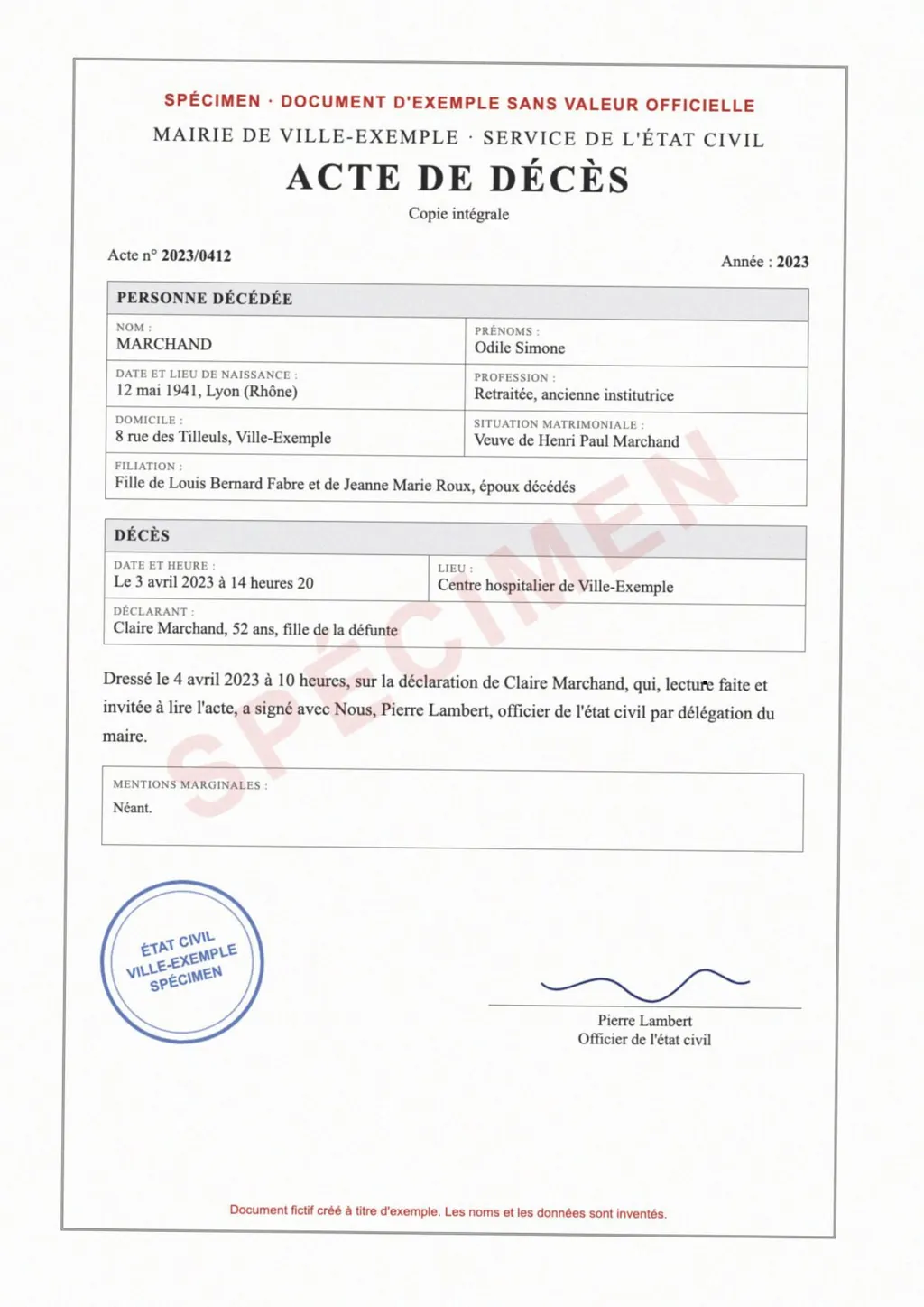
That matters for documents. A birth certificate filled in by hand, a signed letter or a stamped form often has handwriting next to the printed text. LoreAI reads stamps, seals and handwriting along with the print and translates them into the Word file.
Yandex image translator and LoreAI side by side
| What you need | Yandex image translator | LoreAI |
|---|---|---|
| File types | JPG, PNG, GIF and other files[1] | PDF, JPG and PNG |
| File size | Up to 5 MB[1] | Free 3 MB, Basic 10 MB, Pro 25 MB |
| Handwriting | Cursive and handwritten text not recognized[2] | Read and translated |
| What you get | The image with the translation over the original text[3] | An editable Word file (.docx) |
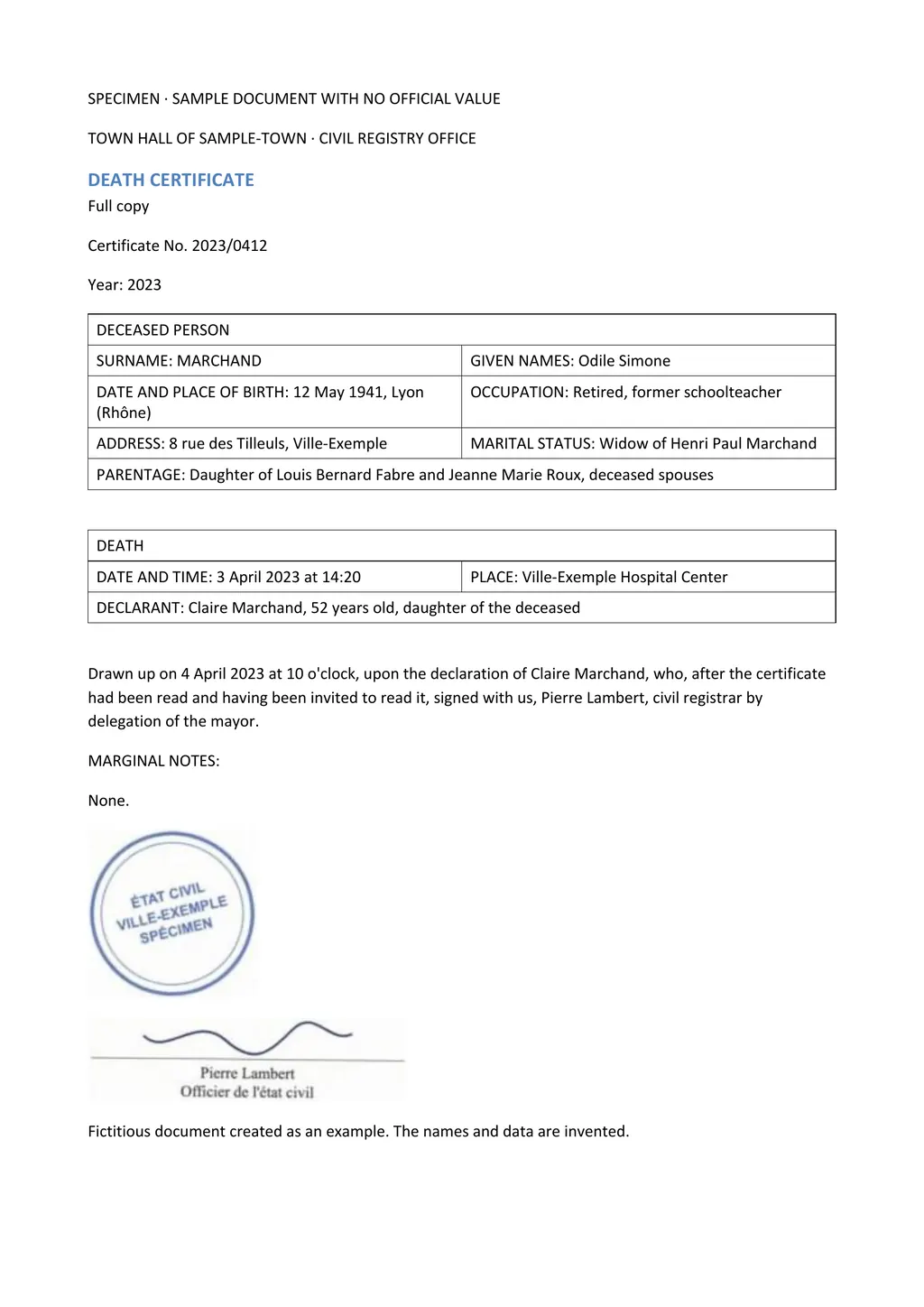
| Tables and layout | Kept as a picture | Rebuilt as Word tables, in the original order |
| On a phone | Yandex Browser and the Yandex Translate apps for Android and iOS[4] | Works in a phone browser |
| Price | Free | First document free, then Basic at $12.99 a month |
Why an overlay is not a document
An overlay is good for reading a menu, a sign or a screenshot. You see the translation where the original words were, and you move on. For a document you need to keep, it falls short. You cannot fix a word, add a translator's note or reflow a table in a picture.
LoreAI turns the same photo into text. It detects the source language, translates into any of 105 languages and rebuilds the page in Word with headings, lists and tables in the original order. Names, dates and numbers stay as written, and names in Cyrillic and other non-Latin scripts are romanized.
- For a sign, a menu or a screenshot, use the Yandex image translator.
- For a photo of a Russian or Ukrainian certificate you need in English, use LoreAI and edit the Word file.
- For a scanned PDF with several pages, upload the PDF to LoreAI in one go.
Neither one certifies a translation
LoreAI is not a certified translation service, and an image translator is not one either. For USCIS, the translator certifies that the translation is complete and accurate and that they are competent to translate the language[5]. See how to get a certified translation.
Questions people ask
Is the Yandex image translator free?
Yes. The Images tab on translate.yandex.com takes JPG, PNG and GIF files up to 5 MB with no price shown[1].
Can Yandex translate handwriting in a photo?
No. Yandex's help page says the translator cannot recognize cursive or handwritten text[2]. LoreAI reads handwriting along with printed text.
Can I get the text out of a Yandex image translation?
What is the best way to translate a Russian document photo to English?
Upload the photo to LoreAI and choose English. You get an editable Word file with the tables kept and the names romanized.
Is LoreAI free to try?
Your first document is free, up to 3 pages, and no card is needed. After that, Basic costs $12.99 a month for 200 pages.
Sources
- Yandex Translate: Translate text from images and photos online, accessed November 5, 2026
- Yandex Browser Help: Translate, accessed November 5, 2026
- Yandex Browser for iPhone Help: Translate, accessed November 5, 2026
- Yandex Translate Help: About Yandex Translate, accessed November 5, 2026
- 8 CFR 103.2(b)(3), Translations, Cornell Legal Information Institute, accessed November 5, 2026
By Matt Mountain ·