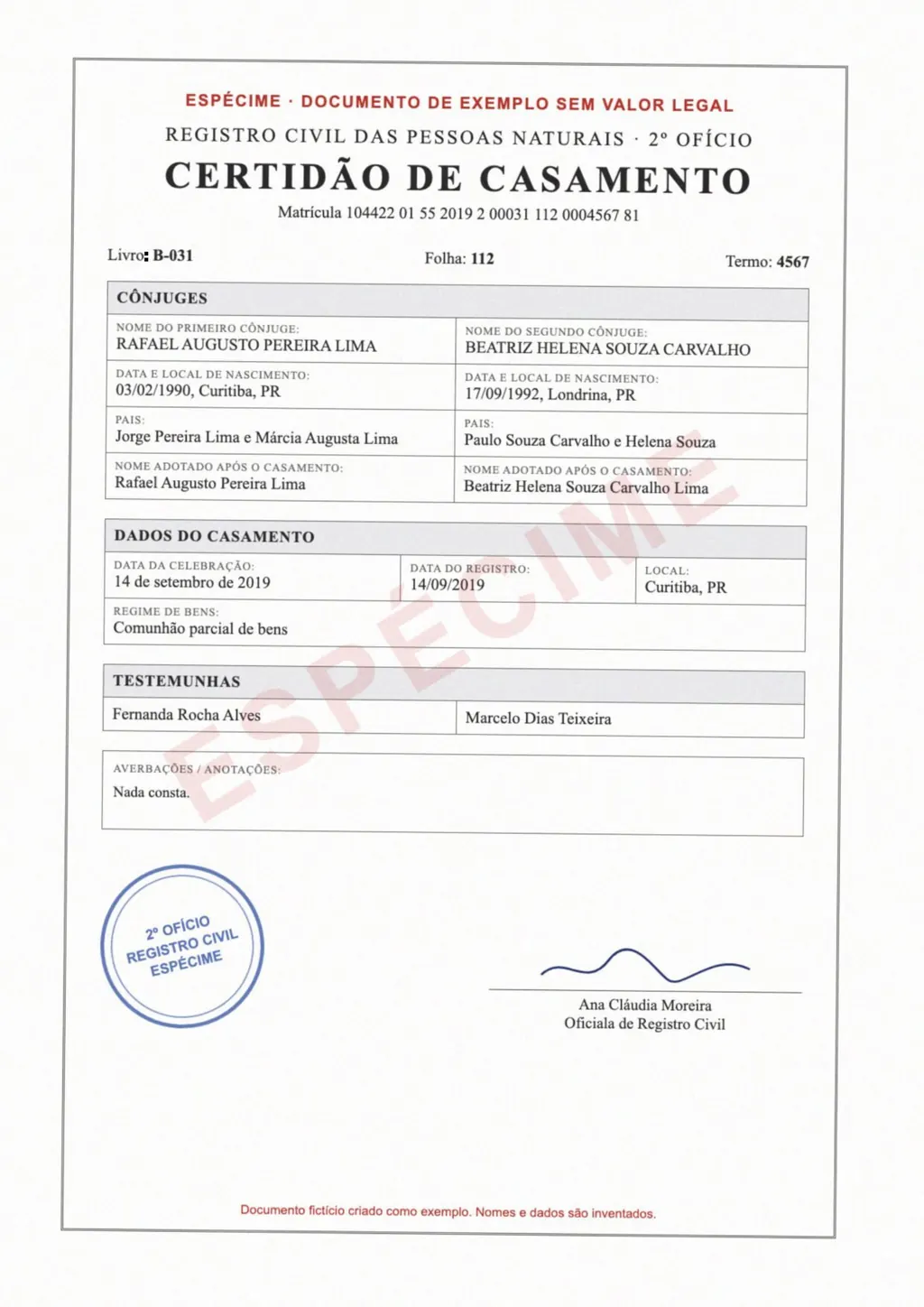
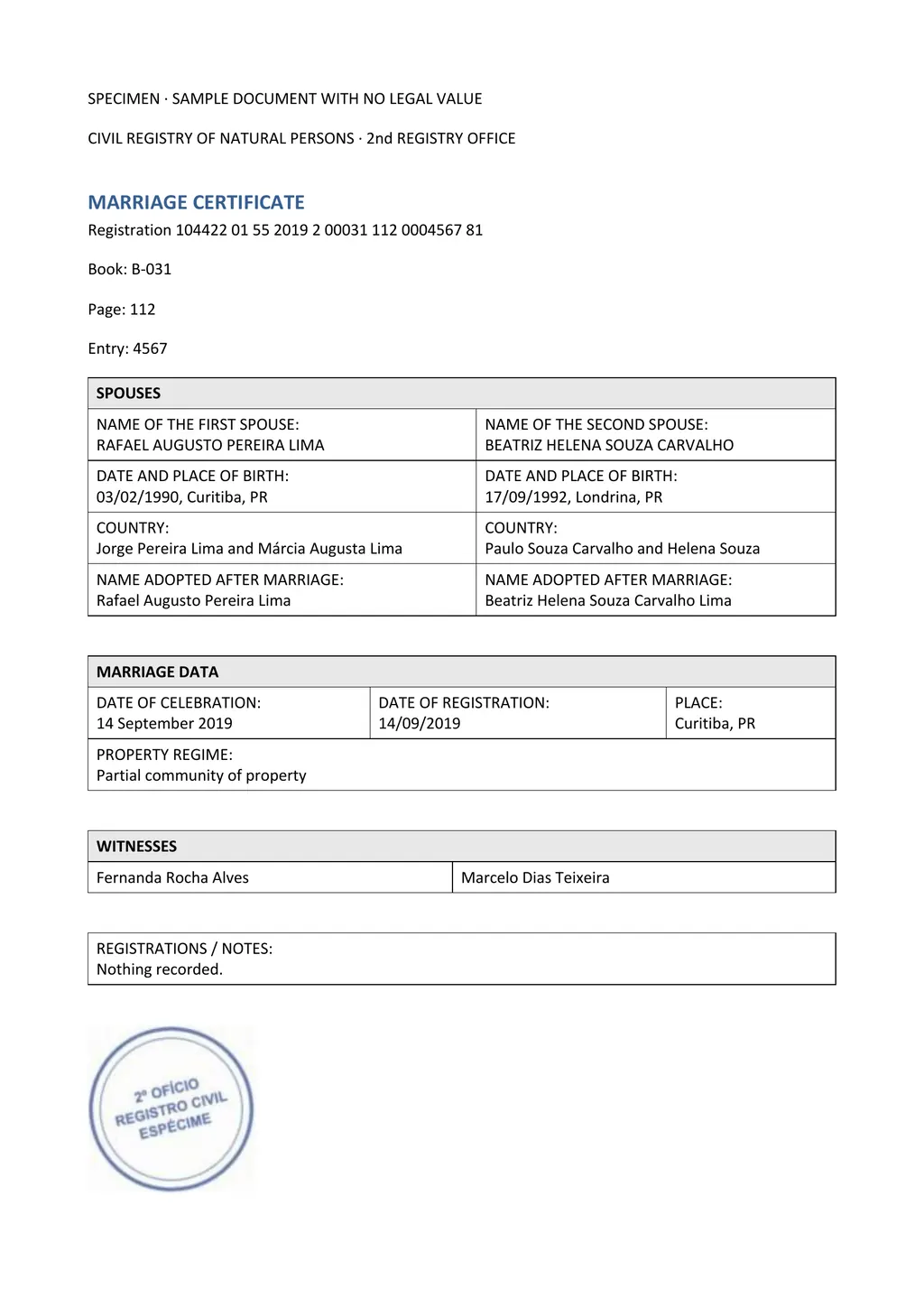
How to use the iLovePDF OCR tool
- Open OCR PDF on iLovePDF. Upload a PDF from your computer, or pick one from Google Drive or Dropbox.
- Pick the OCR mode. Standard suits most scanned documents. Advanced is for difficult scans and photographed or warped pages.
- Choose the document languages. Selecting the right language improves recognition.
- Set the clean-up options and run it. Auto rotate, deskew and dewarp fix tilted or curved pages before the text is read.
These options come from iLovePDF's own tool page[1]. The result is a PDF where the text can be searched and selected. The language list runs past 100 entries, including historical ones such as Middle English and Ancient Greek, and Advanced mode, marked Premium, supports more than 50 languages[1].
What is free and what needs Premium
Can iLovePDF translate a scanned PDF?
iLovePDF has a separate Translate PDF tool. It translates into 28 target languages and offers two layouts, Keep layout, which returns a PDF close to the original, and Only text, for copying[3]. Its pricing page lists translation as a Premium feature[2]. The tool page does not say whether it reads scans, and iLovePDF lists OCR as its own tool.
LoreAI does the reading and the translation in one job. It reads the scan with OCR, including stamps and handwriting, translates it into any of 105 languages, and rebuilds headings, lists and tables in Word. Names, dates and numbers stay exactly as written.
iLovePDF OCR and LoreAI side by side
| What you need | iLovePDF OCR | LoreAI |
|---|---|---|
| File types | PDF[1] | PDF, JPG and PNG |
| File size | 15 MB free, 4 GB Premium[2] | Free 3 MB, Basic 10 MB, Pro 25 MB |
| Scanned pages | Made searchable[1] | Read with OCR, then translated |
| Photo of a document | Advanced mode handles photographed pages, Premium[1] | Upload the JPG or PNG directly |
| What you download | A searchable PDF[1] | An editable Word file (.docx) |
| Word export | PDF to Word with OCR, Premium[2] | Always a Word file |
| Translation | Translate PDF tool, Premium[2] | Into 105 languages |
| Price | OCR free; Premium for the rest[2] | First document free, then Basic at $12.99 a month |
Which one fits your document?
- To search or copy text from a scanned PDF in its own language, use iLovePDF's free standard OCR[2].
- To fix a curved or photographed page and keep it a PDF, use iLovePDF's Advanced mode with Premium[1].
- To get a scan or phone photo as an editable Word file in another language, use LoreAI.
- For other online OCR tools, see the Smallpdf OCR and PDF24 OCR pages, or the OCR software comparison.
If you only need the text, PDF to text covers that. For a Word file in the same language, see scanned PDF to Word.
Neither one certifies a translation
LoreAI is not a certified translation service, and neither is iLovePDF. When an authority asks for a certified translation, a translator signs a statement about it. The guide to getting a certified translation explains how.
Questions people ask
Is iLovePDF OCR free?
Standard OCR is free for 1 file per task up to 15 MB[2]. Advanced OCR and the OCR exports to Word, Excel and PowerPoint are Premium.
Does iLovePDF OCR give me a Word file?
Can iLovePDF translate PDFs?
Which languages does iLovePDF OCR read?
Its language list has more than 100 entries, and Advanced mode supports more than 50 languages[1].
Sources
- iLovePDF: OCR PDF, make PDF searchable, accessed November 6, 2026
- iLovePDF: Pricing, Free and Premium, accessed November 6, 2026
- iLovePDF: Translate PDF, accessed November 6, 2026
By Matt Mountain ·