How to run OCR on a PDF with Smallpdf
- Drop the file into the PDF OCR tool. Smallpdf's OCR page accepts PDF, Word, PowerPoint, Excel, JPG, BMP, GIF and TIFF.
- Wait for the recognition. Smallpdf reads the text in the scanned pages.
- Edit with other Smallpdf tools if needed. For example, compress or merge the result.
- Download or share the searchable PDF. The text can now be searched, selected and copied.
These are Smallpdf's own steps and file types[1]. It runs in a browser on iPhone, Android, Windows and Mac. Smallpdf notes that results depend on the clarity, contrast and resolution of the original scan[1].
What Smallpdf's free plan covers
Can Smallpdf translate a scanned PDF?
Yes. Smallpdf's PDF translator recognizes text in scanned PDFs and images with OCR, and translates into more than 20 languages[3]. You choose between a summary and the entire document. Smallpdf says it keeps the original formatting as far as possible, but images and special layouts do not carry over into the translated document[3].
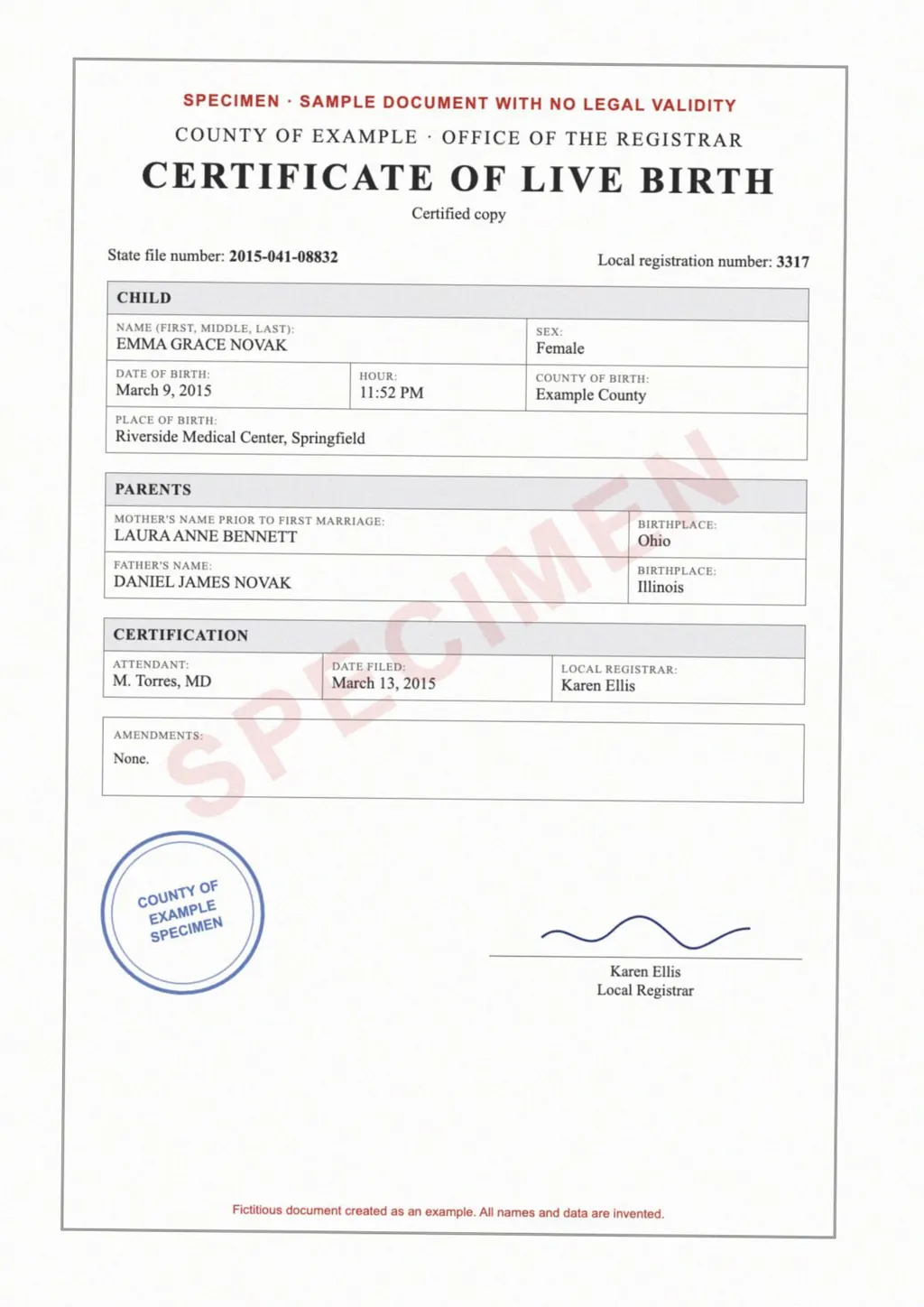
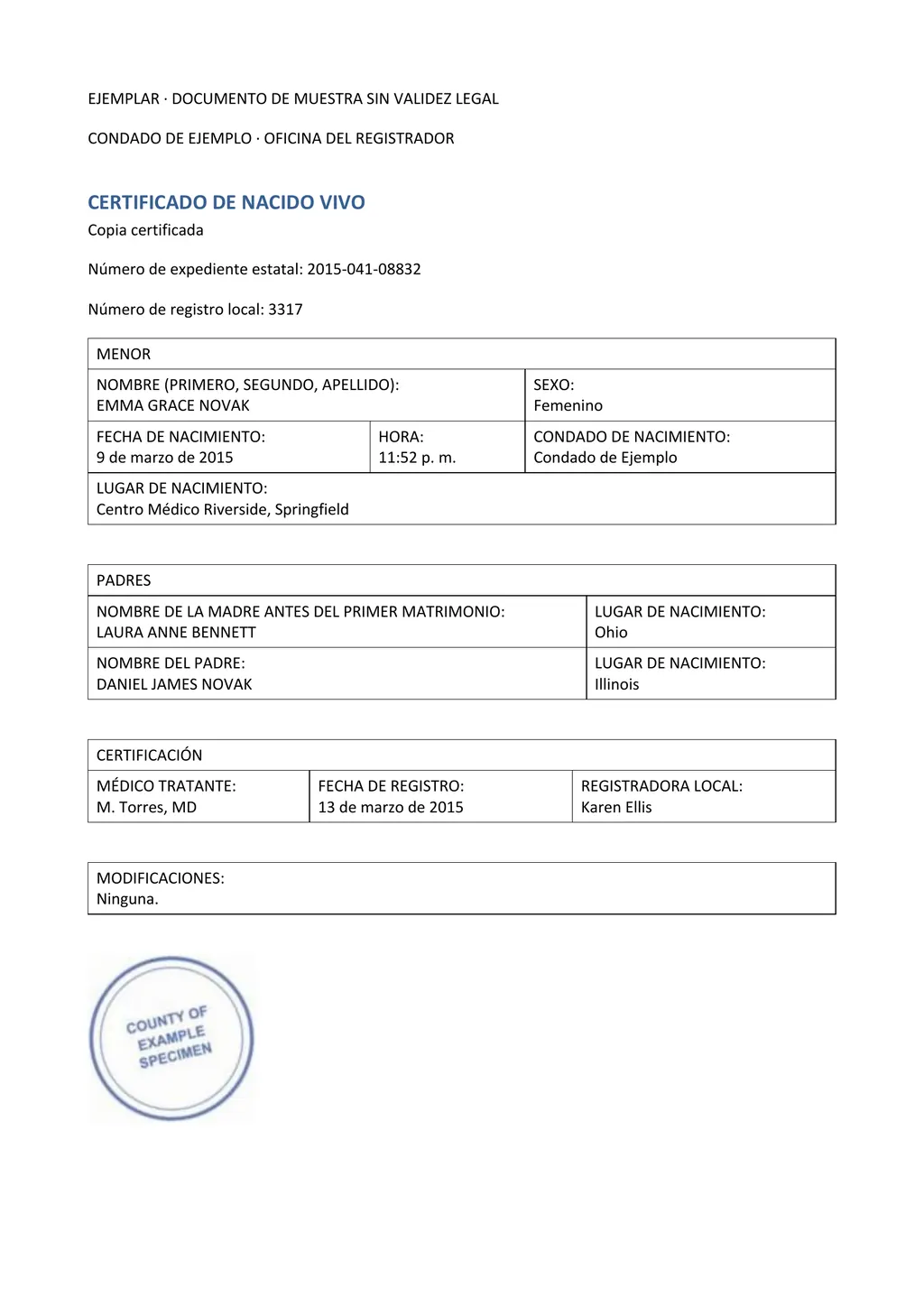
That works for reading a long PDF in your language. For a form, a certificate or a transcript, the layout is part of the meaning. LoreAI reads the scan with OCR, including stamps and handwriting, translates into any of 105 languages and rebuilds headings, lists and tables in Word, with names, dates and numbers as written.
Smallpdf OCR and LoreAI side by side
| What you need | Smallpdf | LoreAI |
|---|---|---|
| File types | PDF, Office files and images[1] | PDF, JPG and PNG |
| File size | 50 MB for AI tools[2] | Free 3 MB, Basic 10 MB, Pro 25 MB |
| Scanned pages | Made searchable with OCR[1] | Read with OCR, then translated |
| Photo of a document | JPG and other images accepted[1] | Upload the JPG or PNG directly |
| What you download | A searchable PDF[1] | An editable Word file (.docx) |
| Word export | Separate PDF to Word step[1] | Always a Word file |
| Translation layout | Images and special layouts do not carry over[3] | Tables rebuilt as Word tables |
| On a phone | Runs in any browser[1] | Works in a phone browser |
| Price | Free with limits; Pro for unlimited use[2] | First document free, then Basic at $12.99 a month |
Which one fits your document?
- To search and copy text from a scanned PDF in its own language: Smallpdf OCR, free with limits[1].
- To get the gist of a long foreign-language PDF: Smallpdf's translator with its summary option[3].
- To get a scanned form, certificate or letter as an editable Word file in another language, with its tables: LoreAI.
Compare other tools on the iLovePDF OCR and PDF24 OCR pages. For a same-language Word file, see scanned PDF to Word.
Neither one certifies a translation
LoreAI is not a certified translation service, and neither is Smallpdf. When an authority asks for a certified translation, a translator signs a statement about it. The guide to getting a certified translation explains how.
Questions people ask
Is Smallpdf OCR free?
Can Smallpdf convert a scanned PDF to Word?
Yes, in two steps. Run OCR, then open the file in the PDF to Word converter[1]. LoreAI returns a Word file in one step, translated too.
Does Smallpdf translate keep the layout?
Partly. Smallpdf says images and special layouts do not carry over into the translated document[3].
How many languages does Smallpdf translate?
More than 20, to and from English[3]. LoreAI translates into 105 languages.
Sources
- Smallpdf: PDF OCR Converter, make PDF text searchable, accessed November 6, 2026
- Smallpdf: Pricing and plan comparison, accessed November 6, 2026
- Smallpdf: Translate PDF, accessed November 6, 2026
By Matt Mountain ·