How to translate a PDF in Acrobat
- Open the PDF in Acrobat. Select Convert in the bar at the top.
- Select Translate this PDF. The document opens in Adobe Express.
- Choose the target languages. Use the Translate to menu in the Translate panel. Adobe recognizes the source language for you.
- Pick what to translate and the tone. Translate all pages, one page or selected text, in a formal or informal tone of voice.
- Translate, then download. The result is saved in Your stuff in Adobe Express. Download it as a PDF or share it.
These are the steps on Adobe's help page, last updated August 7, 2026[1]. You can preview the translated text before you export it, and you can pick several target languages at once[1].
Does Adobe translate scanned PDFs?
Not always. Adobe's help page says translation may be skipped for scanned, secured, large or complex PDFs, and for files with unsupported fonts or languages[1]. A scan holds a picture of the text, so the translator has nothing to work with until the text is recognized.
In Acrobat, that means running OCR first to make the PDF searchable, then translating the new file. The Adobe Acrobat OCR page walks through the OCR step. That is two tools and two files before you have a translation.
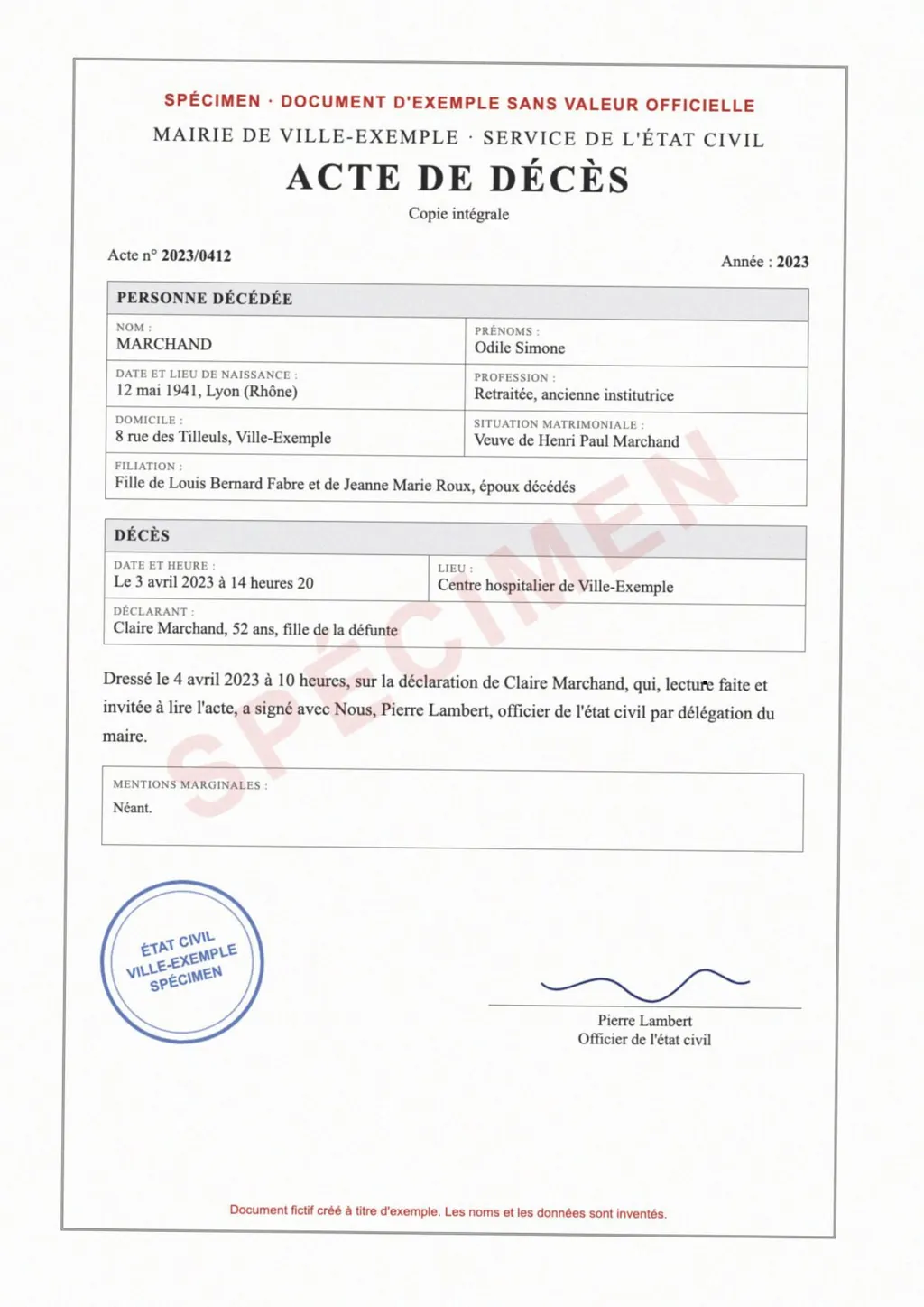
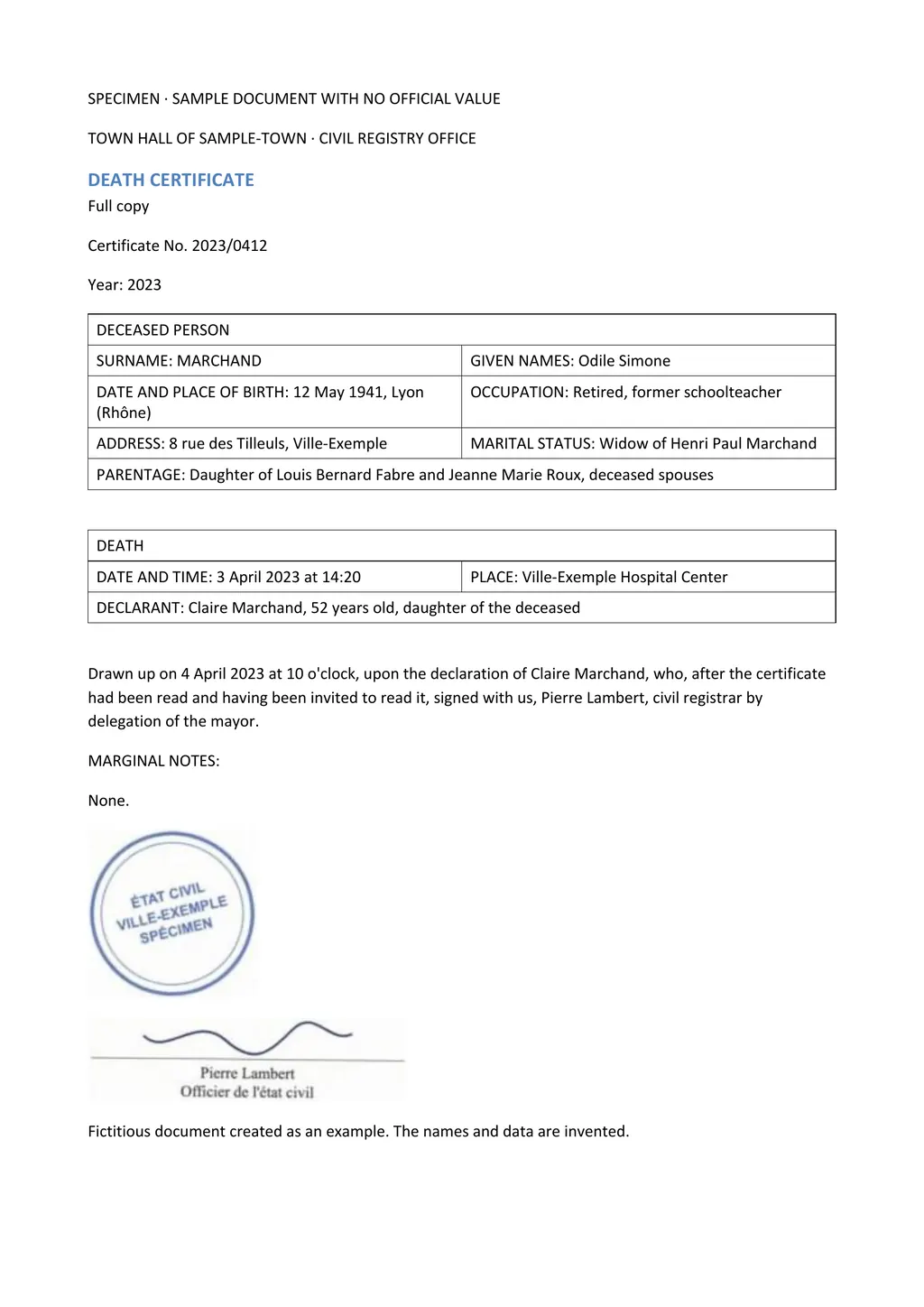
LoreAI does both in one upload. It reads the scan with OCR, including stamps, seals and handwriting, translates it into any of 105 languages and rebuilds headings, lists and tables in Word. Names, dates and numbers stay exactly as written.
Adobe Acrobat translation and LoreAI side by side
| What you need | Acrobat with Adobe Express | LoreAI |
|---|---|---|
| File types | A PDF opened in Acrobat[1] | PDF, JPG and PNG |
| File size | Large PDFs may be skipped[1] | Free 3 MB, Basic 10 MB, Pro 25 MB |
| Scanned pages | May be skipped[1] | Read with OCR, then translated |
| Photo of a document | Not covered by the steps[1] | Upload the JPG or PNG directly |
| What you download | A translated PDF from Adobe Express[1] | An editable Word file (.docx) |
| Source language | Recognized automatically[1] | Detected automatically |
| Price | Not stated on the help page | First document free, then Basic at $12.99 a month |
When each tool fits
- A typed PDF you made yourself, such as a brochure or a handout, that should stay a designed PDF: Acrobat with Adobe Express.
- The same document in several languages at once: Adobe Express lets you pick more than one target language[1].
- A scanned certificate, transcript or contract that you need to edit in another language: LoreAI.
- A phone photo of a document: LoreAI takes the JPG or PNG as it is.
For more PDF translators, see the PDF translator and translate a scanned PDF guides.
How to translate a scanned PDF with LoreAI
- Create a free account. Your first document is free, up to 3 pages and 3 MB.
- Upload the scanned PDF. Or a JPG or PNG photo of the pages.
- Pick the target language and download. You get a .docx with the tables as Word tables.
Neither one certifies a translation
LoreAI is not a certified translation service, and Acrobat's translation is a machine translation too. When USCIS or a court asks for a certified translation, a translator signs a statement about it. The guide to getting a certified translation explains the steps.
Questions people ask
Can Adobe Acrobat translate a PDF?
Yes. Select Convert, then Translate this PDF, and the file opens in Adobe Express for translation[1].
Why did Adobe not translate my PDF?
Adobe says translation may be skipped for scanned, secured, large or complex PDFs[1]. A scan needs OCR first. LoreAI does the OCR and the translation in one step.
What format does Adobe's translation come in?
You download the translated document as a PDF from Adobe Express, or share it directly[1]. LoreAI returns an editable Word file.
Can I choose the tone of the translation in Adobe?
Yes. Adobe Express lets you pick a formal or informal tone of voice[1].
Sources
- Adobe Acrobat Help: Translate text using Adobe Express in Acrobat, accessed November 6, 2026
By Matt Mountain ·