What is Immersive Translate?
Immersive Translate is a bilingual reading tool. On a web page it shows the text in two languages, so the original stays on screen. You start it from the toolbar icon, a right-click or the Alt+A shortcut[2]. It runs as an extension for Edge, Chrome, Firefox and Safari, and as an app for iOS and Android[1].
The same extension translates documents. From the toolbar icon, More opens the file tools for PDF, ePub and subtitle files[2]. Its document translator takes PDF, ePub, HTML, JSON, TXT, DOCX, Markdown and subtitle files one at a time, and batch translation takes PDFs only[3].
How to translate a PDF with the Immersive Translate extension
- Open the PDF. For a PDF online, open it in the browser. For a file on your computer, click the extension icon, then More, then Translate Local PDF File.
- Start the translation. For an online PDF, click the extension icon and choose Translate this file. For a local file, click the upload button in the top right corner.
- Read both languages. The translation appears beside the original, paragraph by paragraph.
These steps come from Immersive Translate's PDF guide[1]. They cover the free version, which reads standard PDFs that already contain text.
Does Immersive Translate work on scanned PDFs?
Only in PDF Pro. Immersive Translate's guide says the free version supports standard, non-scanned PDFs, while PDF Pro handles scanned PDFs and formulas[1]. To use PDF Pro you upload the file on its own page, and anyone without a Pro membership is asked to upgrade first[1].
PDF Pro runs OCR on the scan and recognizes tables and formulas. It rewrites multi-column pages as a single column for reading, and it exports the result as HTML or PDF[3]. Immersive Translate calls it particularly suited to academic papers[3].
Immersive Translate and LoreAI side by side
| What you need | Immersive Translate | LoreAI |
|---|---|---|
| File types | PDF, ePub, HTML, JSON, TXT, DOCX, Markdown and subtitles[3] | PDF, JPG and PNG |
| File size | Not stated on its PDF pages | Free 3 MB, Basic 10 MB, Pro 25 MB |
| PDF length | A page quota for PDF Pro members[3] | Free 3, Basic 30, Pro 100 pages |
| Scanned pages | PDF Pro only[1] | Read with OCR on every plan, then translated |
| What you download | Bilingual HTML or PDF from PDF Pro[3] | An editable Word file (.docx) |
| Layout | In PDF Pro, multi-column pages become one column[1] | Headings, lists and tables kept in their original order |
| On a phone | iOS and Android apps[1] | Works in a phone browser |
| Price | Free, with a daily request limit; PDF Pro needs a Pro membership[2] | First document free, then Basic at $12.99 a month |
Reading a document or handing it in
The two tools answer different needs. Immersive Translate is for reading. You keep the source and the translation side by side while you go through an article, a paper or an ebook, and the Pro export gives you a bilingual copy to keep.
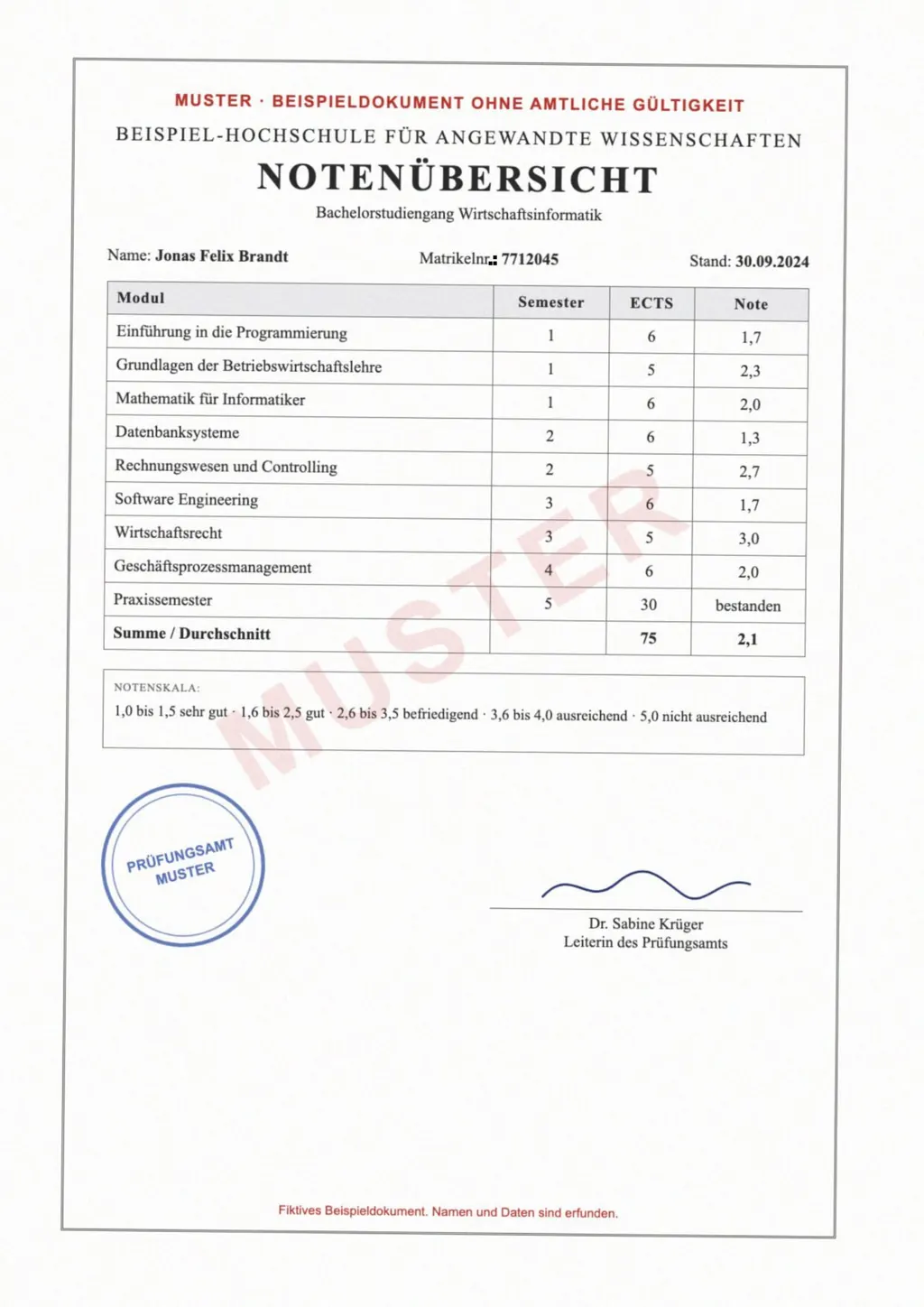
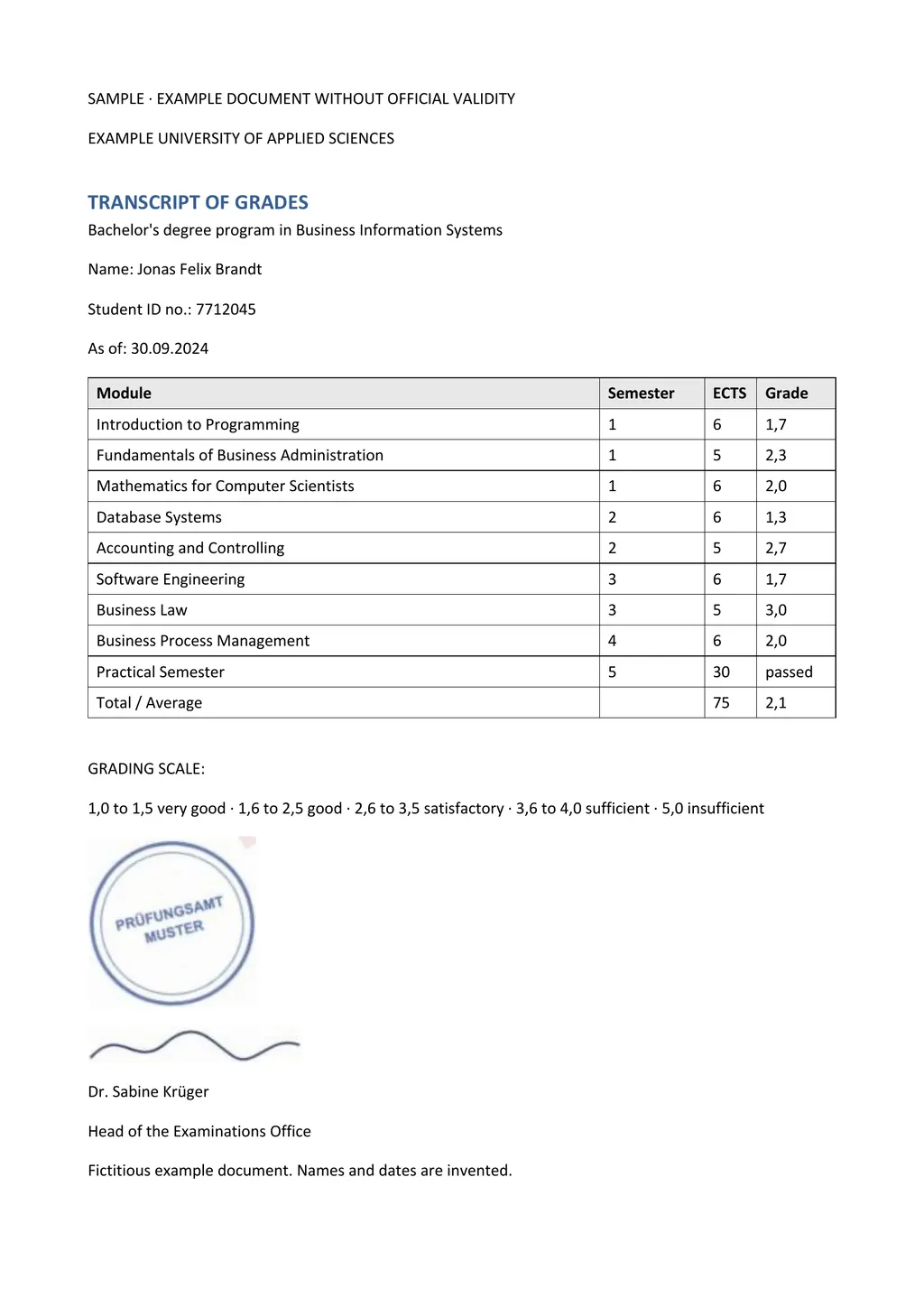
LoreAI is for a document you need to use. You upload a scanned birth certificate, a transcript or a phone photo of a letter. LoreAI reads it with OCR, translates it into any of 105 languages and rebuilds the page in Word, with tables, names, dates and numbers where they were. Stamps, seals and handwriting are read too. You edit the Word file, print it or attach it to an application.
- To read a foreign web page or paper in two languages, use Immersive Translate.
- To translate a typed PDF for your own reading, start with its free PDF translation.
- For a scan or photo you need as an editable, translated Word file, use LoreAI.
What Immersive Translate does well
It covers far more than documents. The same extension translates web pages, video subtitles, ePub ebooks and images[1], and you can choose among translation services such as DeepL, OpenAI, Claude and Gemini[3]. The free plan is usable every day, with a higher request limit after you register[2].
If you read a lot of foreign text in the browser, it is a strong daily tool. If the job is one scanned document that has to come back as an editable file, LoreAI gets you there in one upload.
Neither tool certifies a translation
LoreAI is not a certified translation service, and neither is a browser extension. When USCIS asks for a translation, the translator certifies that it is complete and accurate and that they are competent to translate the language[4]. A translator can start from LoreAI's Word file and add that statement. See how to get a certified translation.
Questions people ask
Is Immersive Translate free?
Can Immersive Translate translate a scanned PDF?
With PDF Pro, yes. The free PDF translation supports standard, non-scanned PDFs only[1].
Can I download an Immersive Translate PDF translation as Word?
PDF Pro lists HTML and PDF as its export formats[3]. LoreAI returns an editable Word file for every document.
Which browsers does the Immersive Translate extension support?
Edge, Chrome, Firefox and Safari on desktop, plus apps for iOS and Android[1].
Is LoreAI free to try?
Your first document is free, up to 3 pages, and no card is needed. After that, Basic costs $12.99 a month for 200 pages.
Sources
- Immersive Translate Docs: PDF File Translation, accessed November 5, 2026
- Immersive Translate: Pricing and FAQ, accessed November 5, 2026
- Immersive Translate: PDF Pro Translator, accessed November 5, 2026
- 8 CFR 103.2(b)(3), Translations, Cornell Legal Information Institute, accessed November 5, 2026
By Matt Mountain ·