Rules for translating a transcript
- Translate course names. Keep the original name in brackets when an English equivalent would change the meaning.
- Copy grades exactly as written. Do not convert them to US letter grades or a GPA. Converting grades is the evaluator's job.
- Keep the grading scale printed on the transcript, translated.
- Keep credit or hour values and the units the school uses.
- Translate the school's name, then give the original in brackets.
- Describe seals, signatures and stamps in brackets.
Check the evaluator's rules first
Universities and credential evaluation services set their own translation rules, and some are strict. WES says translation is not necessary in most cases. When it is, WES requires exact, word-for-word translations completed by a professional translator, and it does not accept translations completed by applicants.
For a receiver like that, a LoreAI translation is a draft. Hand the Word file to the professional translator, who checks it and takes responsibility for it, or ask whether they prefer to start from the original. Read the document requirements of the place you apply to before you translate.
How to translate a transcript with LoreAI
- Scan every page of the transcript, including the grading scale.
- Upload it with English as the target language.
- Check the tables: one row per course, grades unchanged, totals matching.
- Add a translator's certification if the receiver needs one.
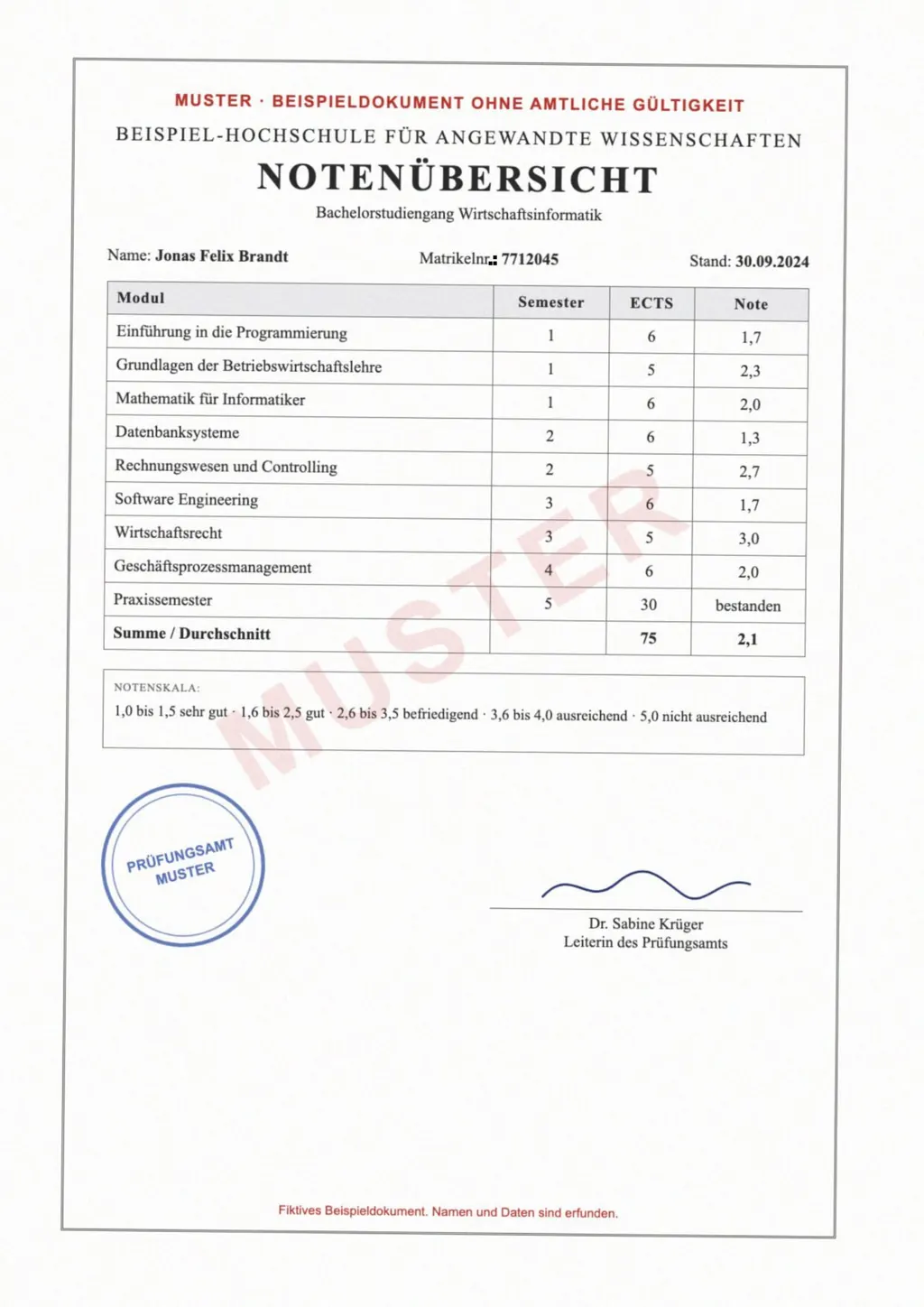
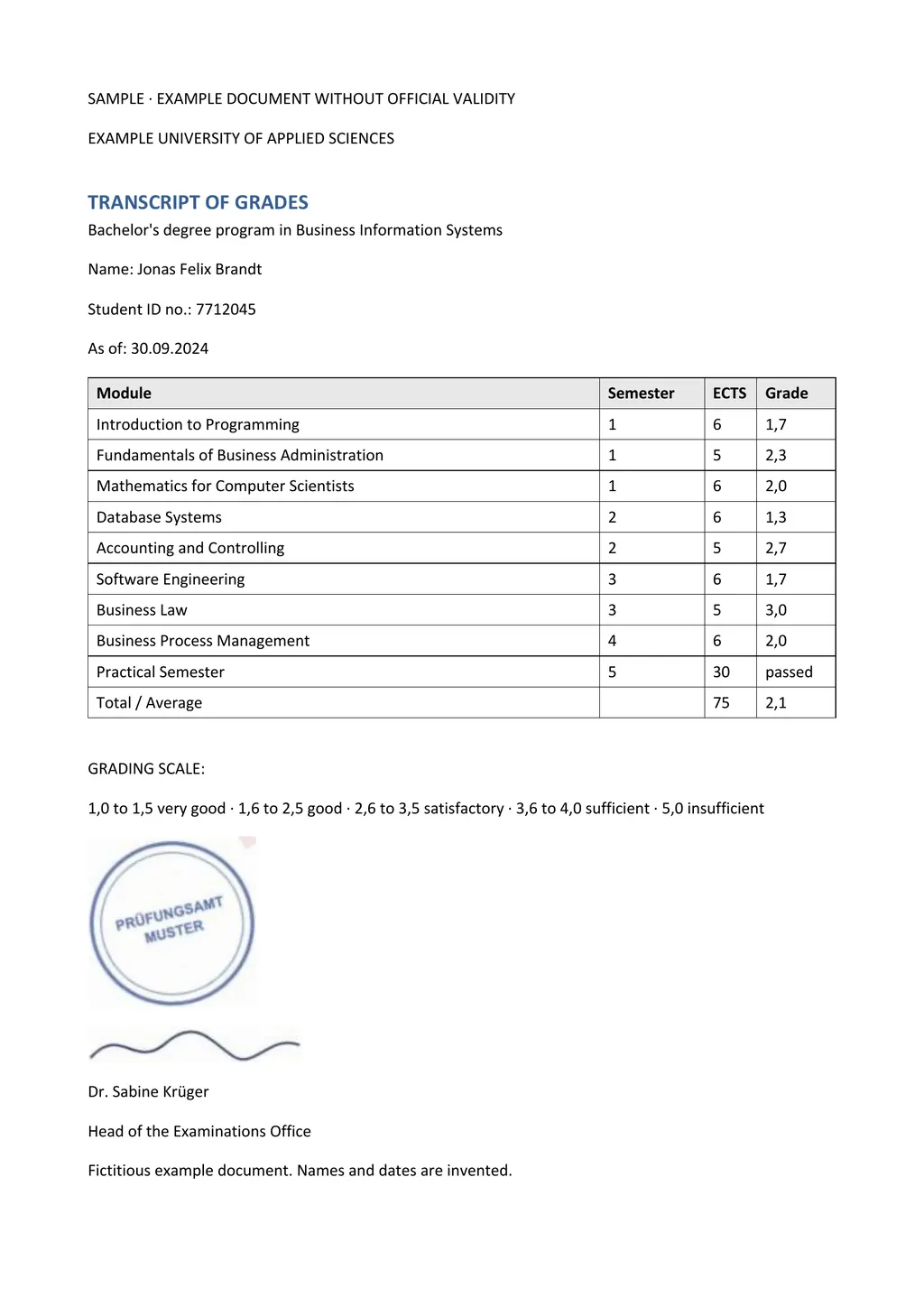
In the example above, LoreAI kept every course, credit and grade in its row, and wrote the German decimal comma as a point, so 1,7 became 1.7. If your evaluator wants grades exactly as printed, change them back.
Questions people ask
Should the translation convert my grades?
No. Keep the grades as printed. Evaluators convert them using the scale on the transcript.
Can LoreAI handle multi-page transcripts?
Yes. The free document covers up to 3 pages, Basic up to 30 pages per document and Pro up to 100.
What about my diploma?
See the diploma translation guide. Many applications ask for both.