OCR plus translation, in one pass
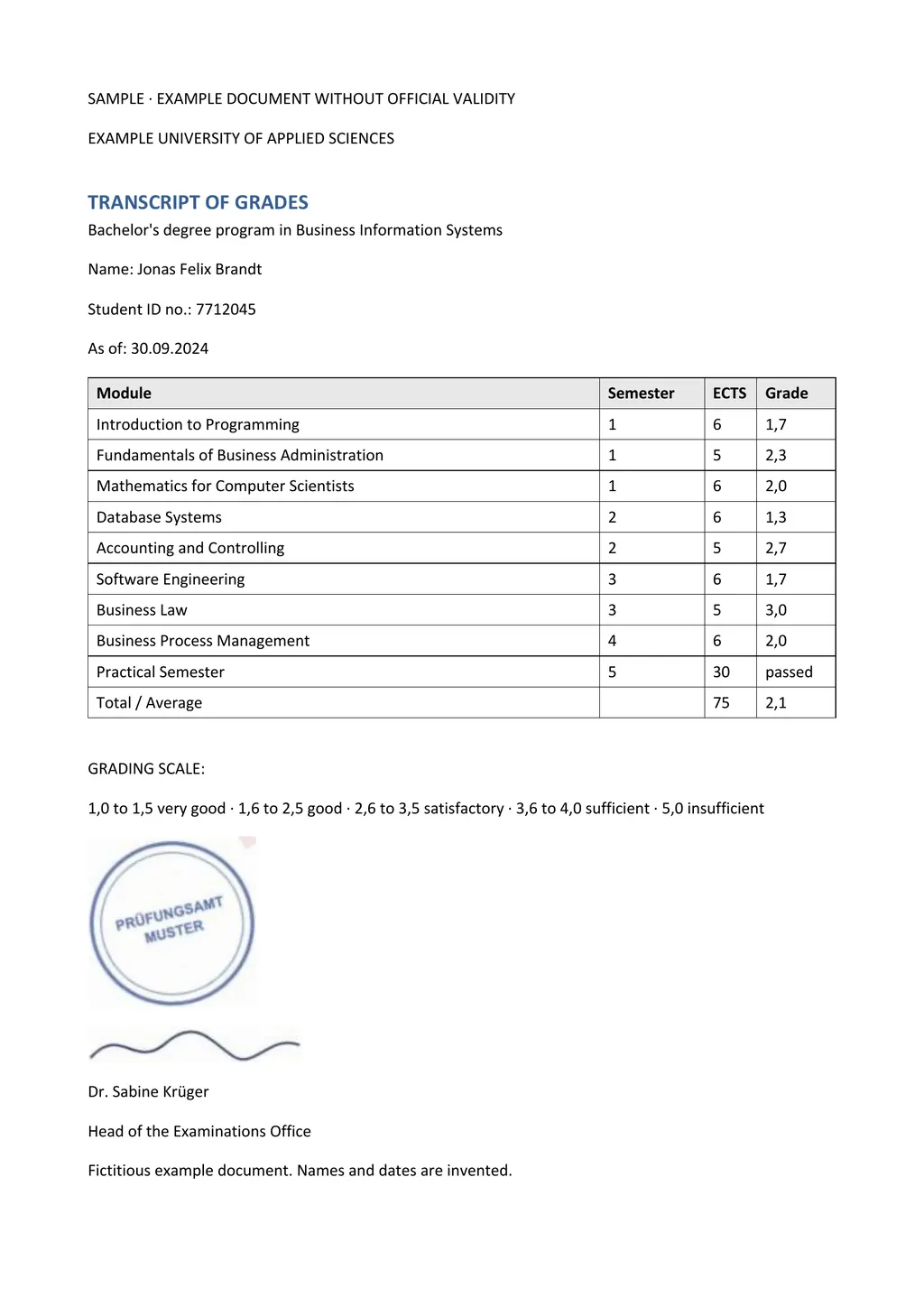
OCR, optical character recognition, turns the picture of a page into text. Most OCR tools stop there and give you plain text, which loses tables and columns. LoreAI keeps the structure it recognizes, translates the text and writes the result into Word with the structure intact.
Good uses
- Certificates and forms with fixed fields, such as birth, marriage and death certificates.
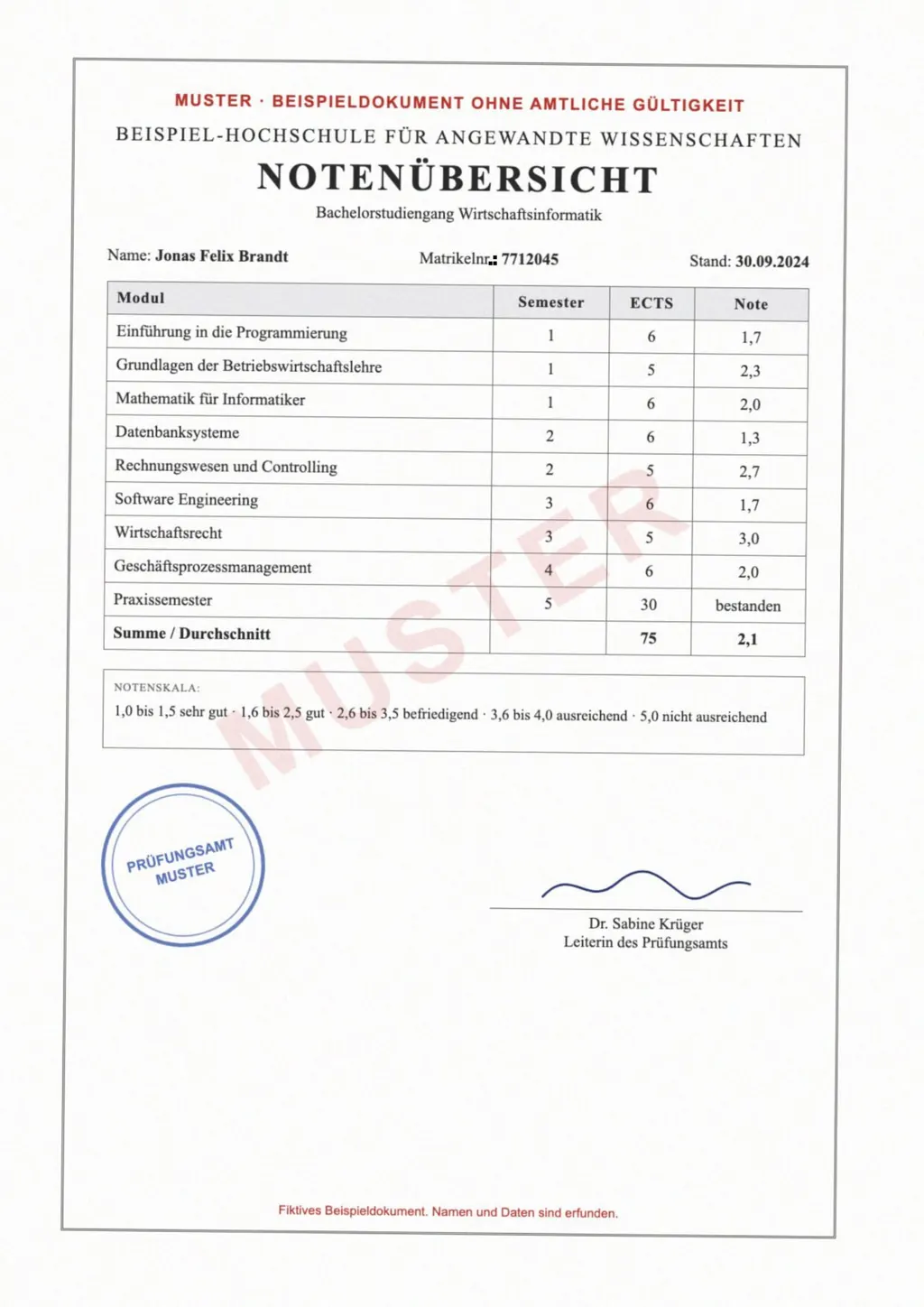
- Records with tables, such as transcripts, invoices and lab reports.
- Old typed documents and letters scanned to PDF.
- Phone photos of pages when no scanner is at hand.
Limits to know about
- Faint, cursive or very small handwriting causes recognition errors.
- Stamp text over printed text is often lost. Add it as a bracketed note.
- Low-resolution photos lose small print. Retake them closer or in better light.
- LoreAI does not translate text inside embedded images, such as a logo or a photo of a sign.
Questions people ask
Which file types does the OCR translator accept?
PDF, JPG and PNG.
Which languages can it read?
It detects the source language automatically, and translates into 105 target languages.
Can I only run OCR without translating?
Yes. Choose OCR only on the upload page to get the recognized text as Word without translation.