Naming the degree
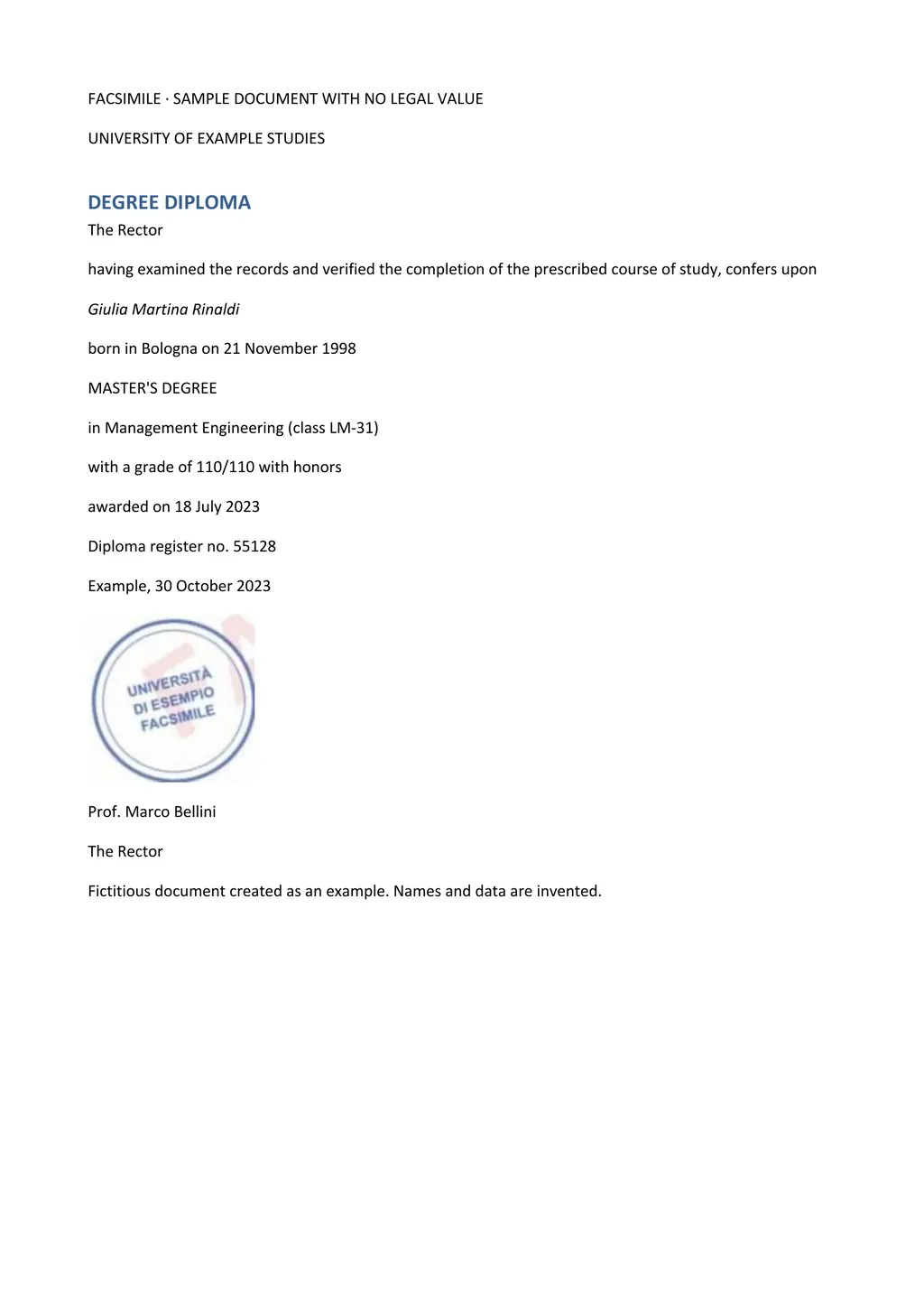
Translate the degree title literally and keep the original in brackets. For example, Licenciatura en Derecho becomes Licentiate in Law (Licenciatura en Derecho). Do not replace it with the US degree you think it matches, such as Juris Doctor. Deciding equivalence is the evaluator's job, and a translation that does it for them can be rejected.
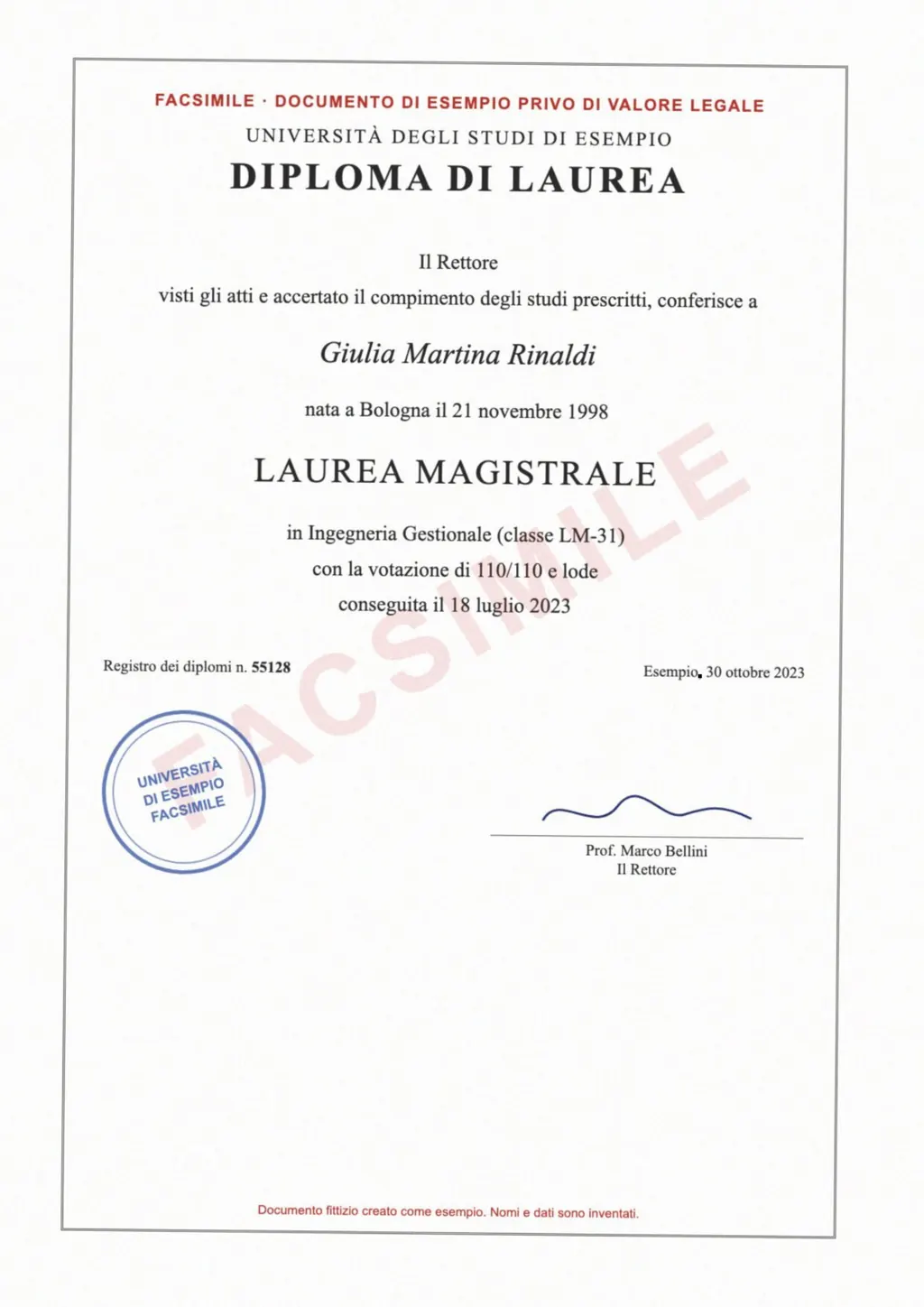
The example above needs this fix. LoreAI wrote Laurea Magistrale as MASTER'S DEGREE. Before anyone signs, change it to Master's degree (Laurea Magistrale).
What else to include
- The graduate's name exactly as written.
- The institution's name, translated, with the original in brackets.
- Dates of the award and of any ceremony.
- Registration numbers, book and page references.
- Seals, signatures and holograms, described in brackets.
- Anything on the back, such as registration stamps or an apostille.
How to translate a diploma with LoreAI
- Scan both sides of the diploma. Large diplomas can be photographed flat in good light.
- Upload the file with English as the target language.
- Check the degree title and names, and add notes for seals and signatures.
- Add a signed translator's certification if your receiver needs one.
Questions people ask
Do I need my transcript translated too?
Usually yes. Admissions offices and evaluators normally ask for both. See the transcript translation guide.
Is a certified diploma translation needed?
That depends on the receiver. WES, for example, requires translations completed by a professional translator. LoreAI does not certify, so a translator who meets the receiver's rule checks and signs it.
My diploma is very large. Can I photograph it?
Yes. Lay it flat, light it evenly and keep the whole sheet in frame. LoreAI accepts JPG and PNG as well as PDF.