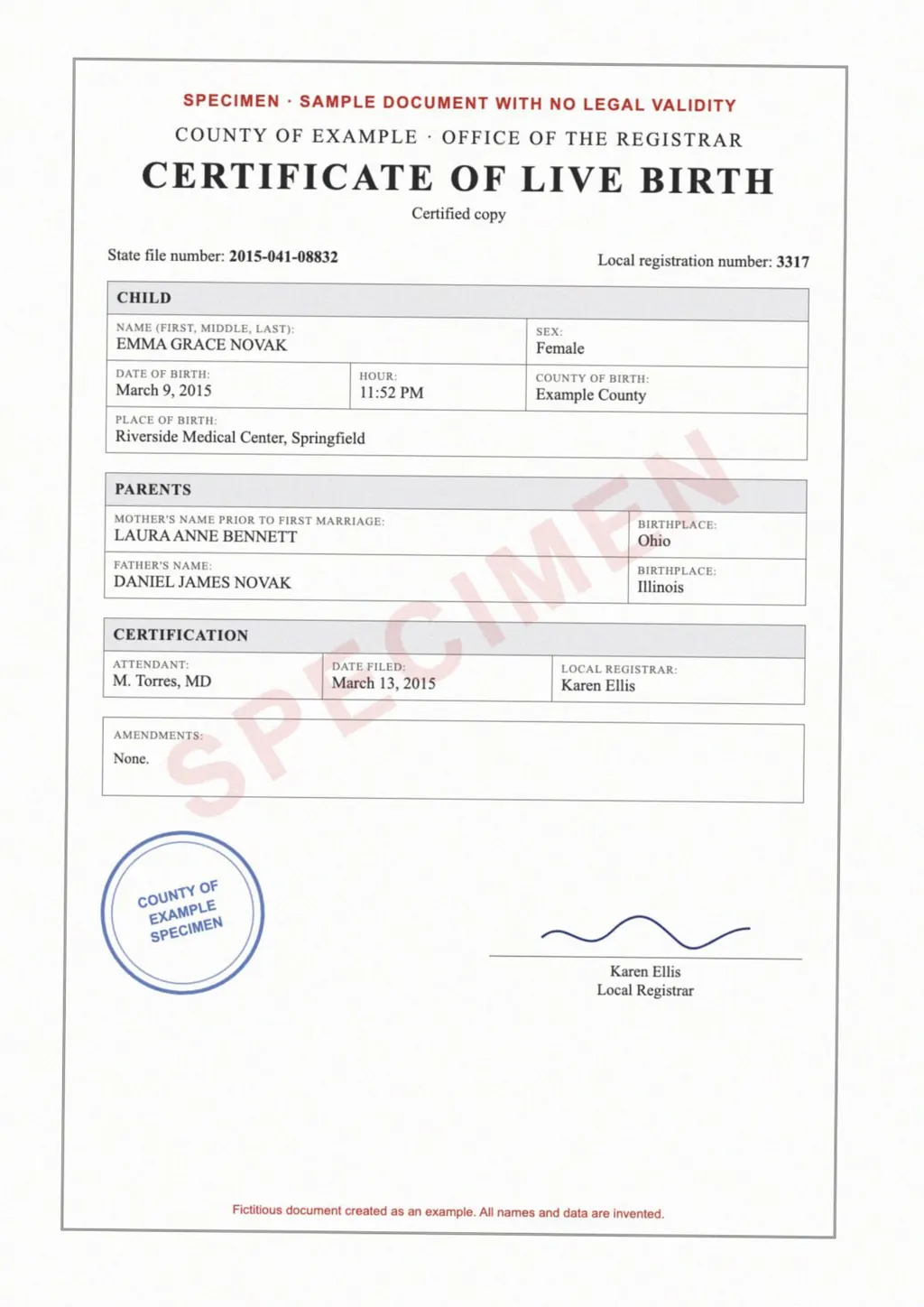
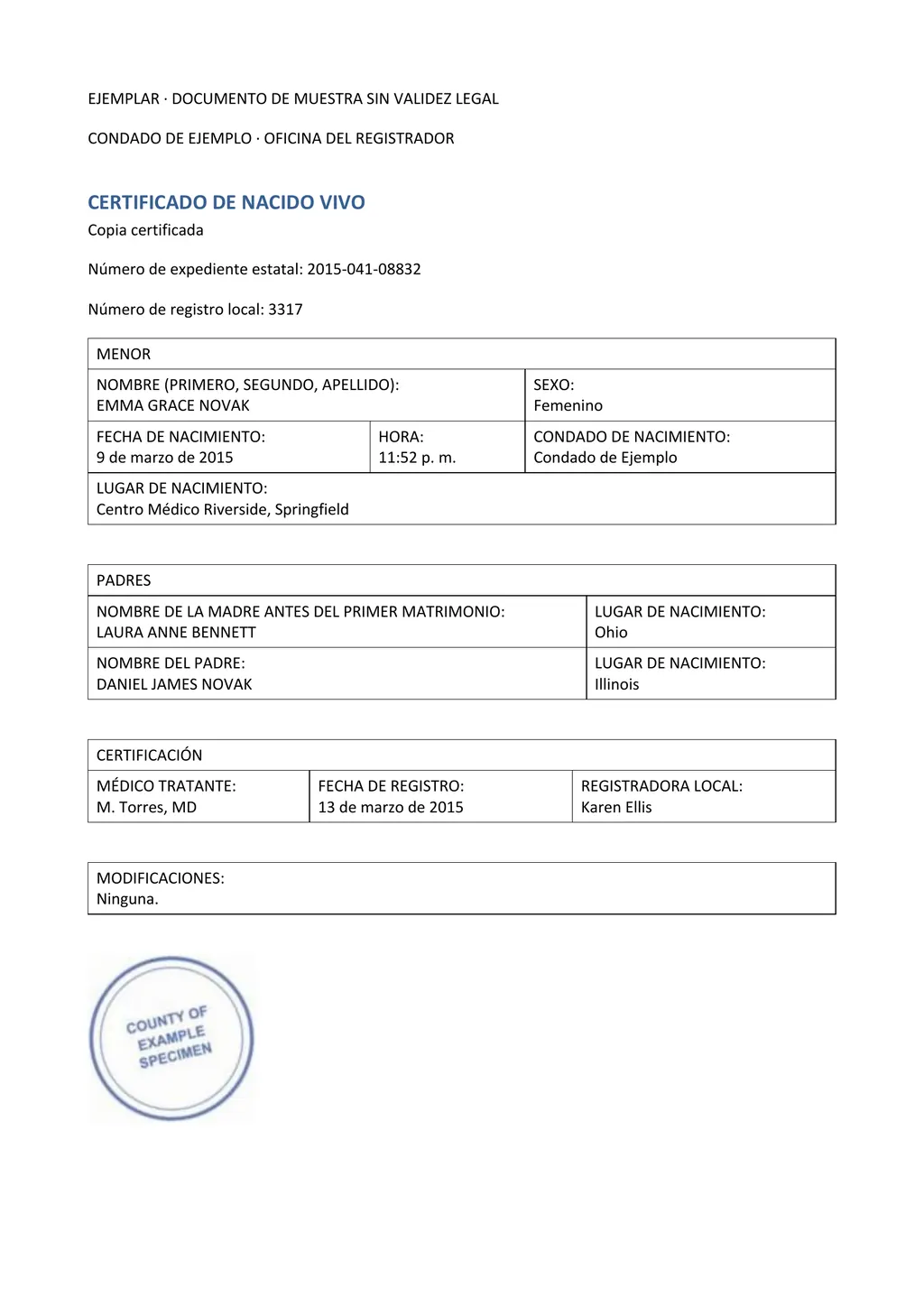
Do you need a translated picture or a Spanish document?
Start with what you will do with the result. If you only want to know what a poster, a label or a screenshot of a chat says, a translated picture is enough. The Google Translate app does this through the camera, and on some devices it translates live while you point the phone at the text[2].
If the Spanish version has to be read, corrected or handed on, you need a document. A school letter for a Spanish-speaking parent, a lease for a tenant or a US birth certificate for a family abroad are examples. LoreAI reads the photo, translates the text into Spanish and rebuilds the page as Word headings, lists and tables, so you can fix a word before you print it.
How to translate an image from English to Spanish with LoreAI
- Save the picture as JPG, PNG or PDF. A phone photo, a screenshot or a scan all work. For several pages, put them into one PDF so they come back as one file.
- Create a free account. Your first document is free, up to 3 pages and 3 MB.
- Choose OCR + Translate and pick Spanish. English is detected on its own. You only set the target language.
- Leave pictures out if you don't need them. Switch off Include images in results to get a Word file with text only, which is easier to edit.
- Download the Spanish .docx file. Read it next to the photo and check every name, date and number.
Spanish for Spain or for Latin America?
LoreAI has one Spanish target language, with no separate setting for Mexico, the US or Spain. Most of an official text reads the same everywhere. Everyday words are where readers notice the difference, so open the Word file and use Find and Replace for the few that matter to your reader.
- computer
- computadora in Mexico, ordenador in Spain
- car
- carro or auto in much of Latin America, coche in Spain
- cell phone
- celular in Latin America, móvil in Spain
- you, to a group
- ustedes everywhere, vosotros only in Spain
Free picture translators and what they give back
| Option | Where it runs | What you get | Limits named by the maker |
|---|---|---|---|
| Google Translate, Images tab | A browser on a computer[1] | A translated image to download, or the text to copy[1] | None on the help page |
| Google Translate app, Camera | Android, live on some devices[2] | Translated text on the camera view, which you can copy[2] | Small or stylized text may be inaccurate[2] |
| DeepL image translation | DeepL apps on Windows, Mac and phones[3] | The translated text[3] | 1500 characters a day on the free plan[3] |
| LoreAI | Any browser, phones included | An editable Spanish Word file | First document free, up to 3 pages |
The Google Translate app can also download a language, so camera translation keeps working without a connection[2]. That is useful when you travel. None of the free options returns a Word file you can edit.
What stays the same in the Spanish file
Names, dates and numbers are written as they appear in the photo. A US date such as 06/22/1994 stays month first. A Spanish reader takes 06/11/2025 to mean 6 November, so add the month name where a date matters, for example 11 de junio de 2025. A date written out in words is translated, so June 22, 1994 becomes 22 de junio de 1994.
Spanish runs longer than English. Expect a table cell or a form label to wrap onto a second line, and widen the column in Word if the page has to fit one sheet.
Documents for an office in Spain or Mexico
An office in Spain that asks for a traducción jurada wants a translation by a sworn translator appointed by Spain's Ministry of Foreign Affairs. These translations have official standing before Spanish courts and administrative bodies, and the translator certifies them with signature and seal[4]. The ministry publishes the list of sworn translators[4].
Mexico and other Spanish-speaking countries set their own rules, so ask the receiving office what it accepts before you order anything. LoreAI is not a sworn or certified translation service. Its Word file is a draft you can read, share or give to the translator. For a US birth certificate, see the guide to a Spanish birth certificate translation.
Questions people ask
Can I translate an image to Spanish for free?
Yes. Google Translate's Images tab translates a picture on a computer and lets you download the translated image or copy the text[1]. LoreAI's first document is free, up to 3 pages, and comes back as a Word file.
Can a picture translator read handwriting?
Not reliably. DeepL says handwritten text is difficult and may not translate accurately[3]. Treat any handwritten word in the result as a guess and check it against the photo.
Can I translate a Spanish picture into English instead?
Yes. Upload it the same way and choose English as the target. The guide to Spanish to English translation covers Spanish documents.
Can I translate a whole English PDF to Spanish?
Yes. A PDF goes through the same steps as a photo. See how to translate an English PDF to Spanish.
Sources
- Google Translate Help: Translate images (computer), accessed November 2, 2026
- Google Translate Help: Translate images (Android phone and tablet), accessed November 2, 2026
- DeepL: Translate images or scanned documents, accessed November 2, 2026
- Ministerio de Asuntos Exteriores, Unión Europea y Cooperación: Traductores/as e Intérpretes Jurados/as, accessed November 2, 2026
By Matt Mountain ·