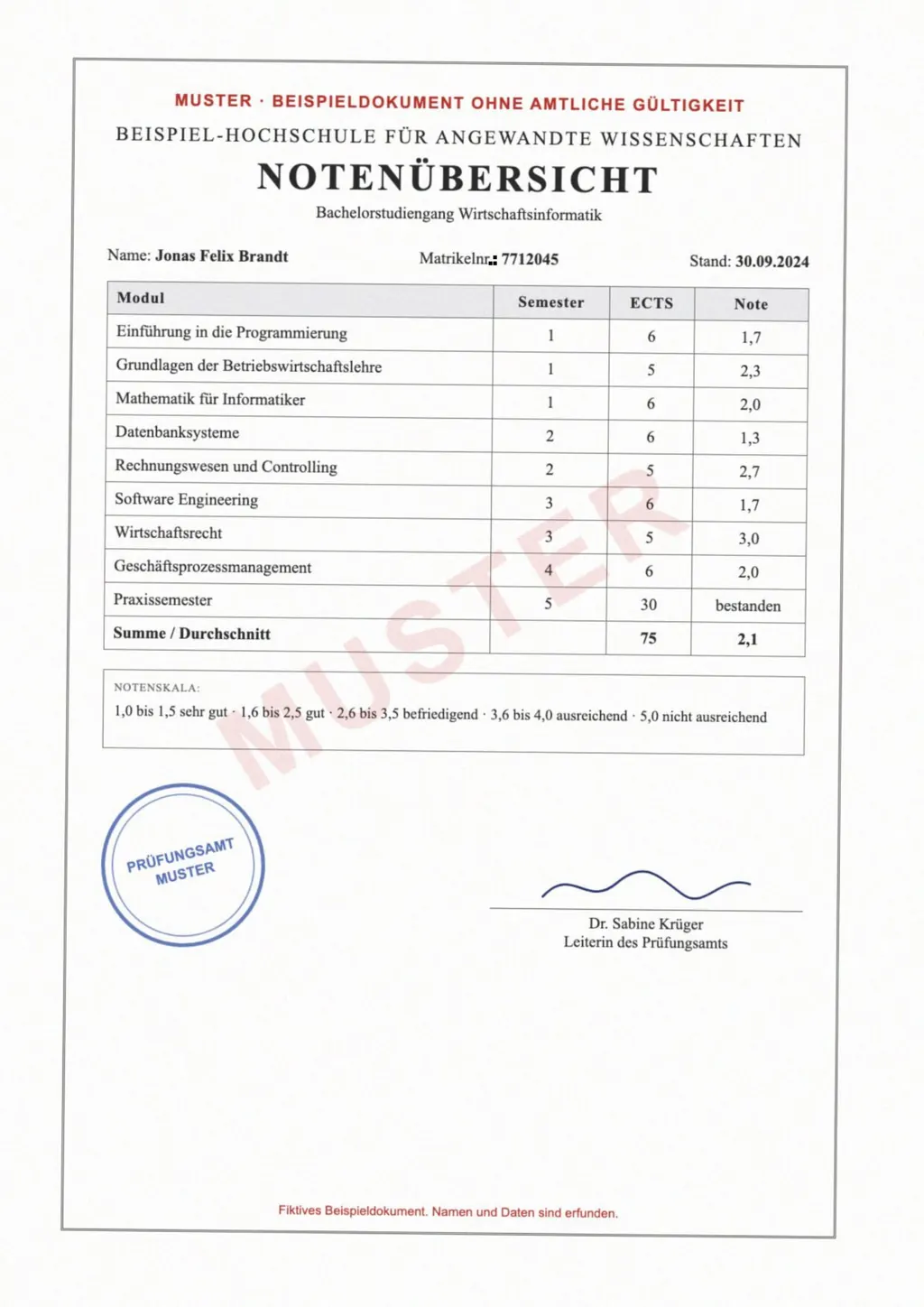
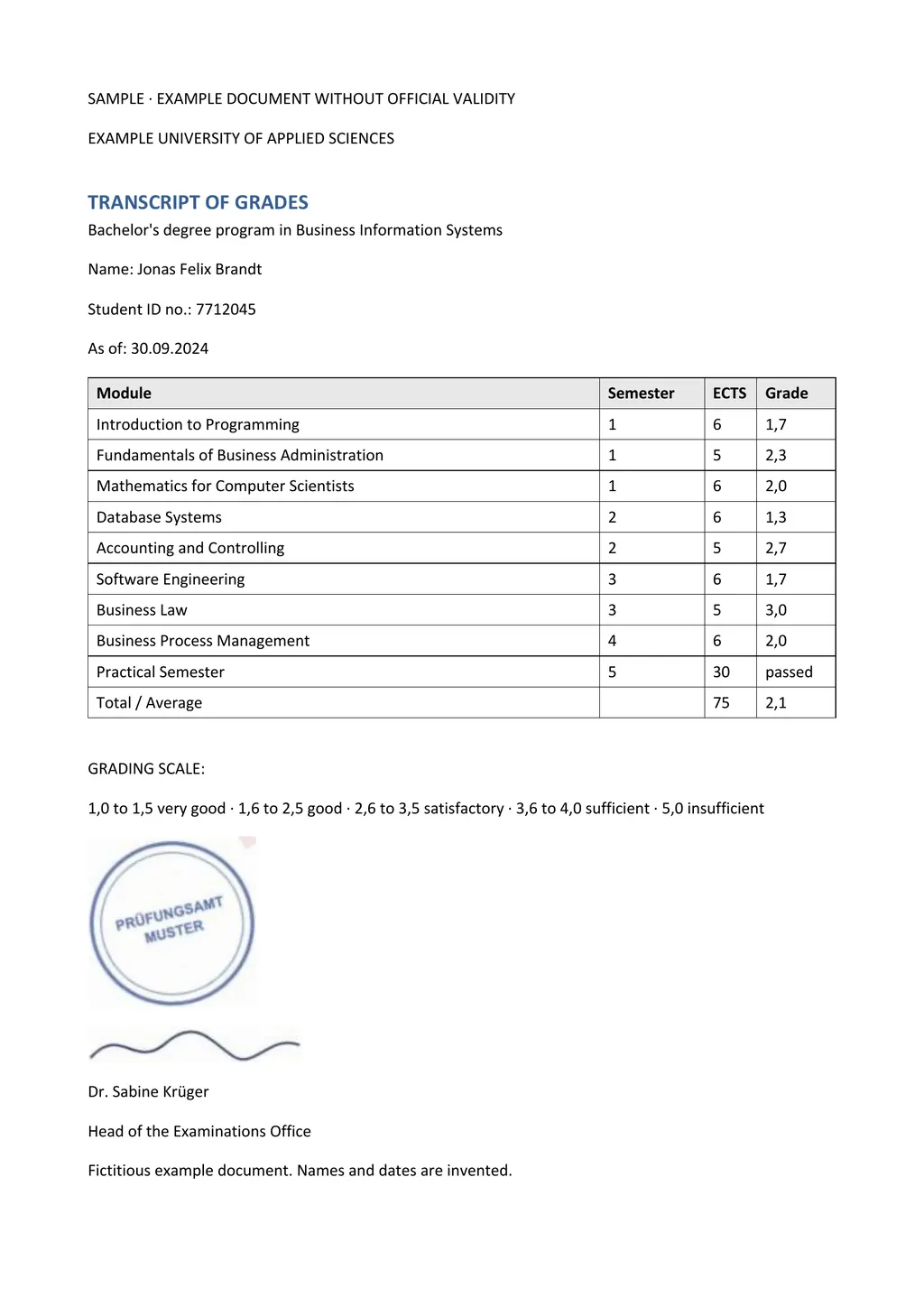
Does your PDF contain text or a picture of text?
Open the PDF and try to select a single word with your cursor. If the word highlights, the file has a text layer and almost any translator can read it. If the whole page highlights as one block, or nothing happens, the PDF is a scan, a photo of each page saved as a PDF. Phone scanning apps and office copiers usually make this kind of file.
That difference decides which tool works. A tool that translates the text layer finds nothing to translate in a scan. Optical character recognition (OCR) turns the picture into text that a tool can translate.
How to translate a PDF to English with LoreAI
- Create a free account. Your first document is free, up to 3 pages and 3 MB, and no card is needed.
- Upload the PDF. Choose the file on the upload page. LoreAI handles scanned and text PDFs the same way as JPG or PNG phone photos.
- Choose English as the target language. Leave the source language on Auto-detect, or pick it yourself if the document mixes languages.
- Start and wait. The Word file is ready to download when OCR and translation finish.
- Download the Word file and check it. Open the .docx in Word, Google Docs or LibreOffice. Compare names, dates and numbers with the original before you send it anywhere.
What the English file looks like
- Format
- An editable .docx file, not a picture of a page.
- Layout
- Headings, paragraphs, lists and tables in the same order as the PDF. Tables come back as real Word tables.
- Names and numbers
- Names, dates, ID numbers and amounts stay as they are written in the original.
- Images
- You decide whether the page's images go into the Word file. Leave them out for a cleaner file to edit.
- Size
- Free: 3 pages. Basic: up to 30 pages and 10 MB per document. Pro: up to 100 pages and 25 MB.
Free options for translating a PDF to English
| Option | Scanned PDF | File limit | What you get back |
|---|---|---|---|
| Google Translate, Documents tab | Text in scanned pages is not translated[1] | 10 MB, and PDFs up to 300 pages[1] | A translated file to download |
| Copy and paste into a translator | Works only if you can select the text | Set by the translator you paste into | Plain text, without the layout |
| LoreAI, first document | Read with OCR, then translated | 3 pages and 3 MB | An editable Word file in the original layout |
Google's help page also says document translation is not available on smaller screens or mobile devices[1]. On a phone, a photo of the page uploaded to LoreAI is the quicker route.
Getting a clean result from a scan
- Scan at 200 to 300 dpi. Small print blurs at lower resolutions.
- Photograph the page flat and straight on, in daylight. Shadows and glare hide letters.
- Crop away the table or background around the page before you upload.
- Check stamps, handwriting and faint print by hand. OCR reads these parts least reliably.
When an office asks for more than a translation
You can prepare your own translation to read a contract, letter or manual. Submissions to immigration offices, courts and universities often need a certified translation. For USCIS, the translator certifies that the English version is complete and accurate and that they are competent to translate the language[2].
LoreAI is not a certified translation service and does not sign translations. It gives you the English Word file to check and correct. The guide to getting a certified translation explains who can sign it and what the statement says.
Questions people ask
Can I translate a PDF to English for free?
Yes. Google Translate's document tab is free for files up to 10 MB[1], as long as the PDF has selectable text. LoreAI translates your first document free, up to 3 pages, scans included.
Why did my translated PDF come back in the original language?
The PDF is most likely a scan. Google's help page says text in images and scanned PDF pages appears in the output but is not translated[1]. A tool that runs OCR first, such as LoreAI, can read it.
Will the English version keep the layout?
LoreAI rebuilds headings, paragraphs and tables in a Word file in the original order. Look over very dense tables and merged cells after processing.
Is the English translation certified?
No. LoreAI produces the translation. If an office asks for a certified translation, a translator signs a statement that it is complete and accurate. The certificate of translation template shows the wording.
Sources
- Google Translate Help: Translate documents and websites (computer), accessed November 2, 2026
- 8 CFR 103.2(b)(3), Translations, Electronic Code of Federal Regulations, accessed November 2, 2026
By Matt Mountain ·