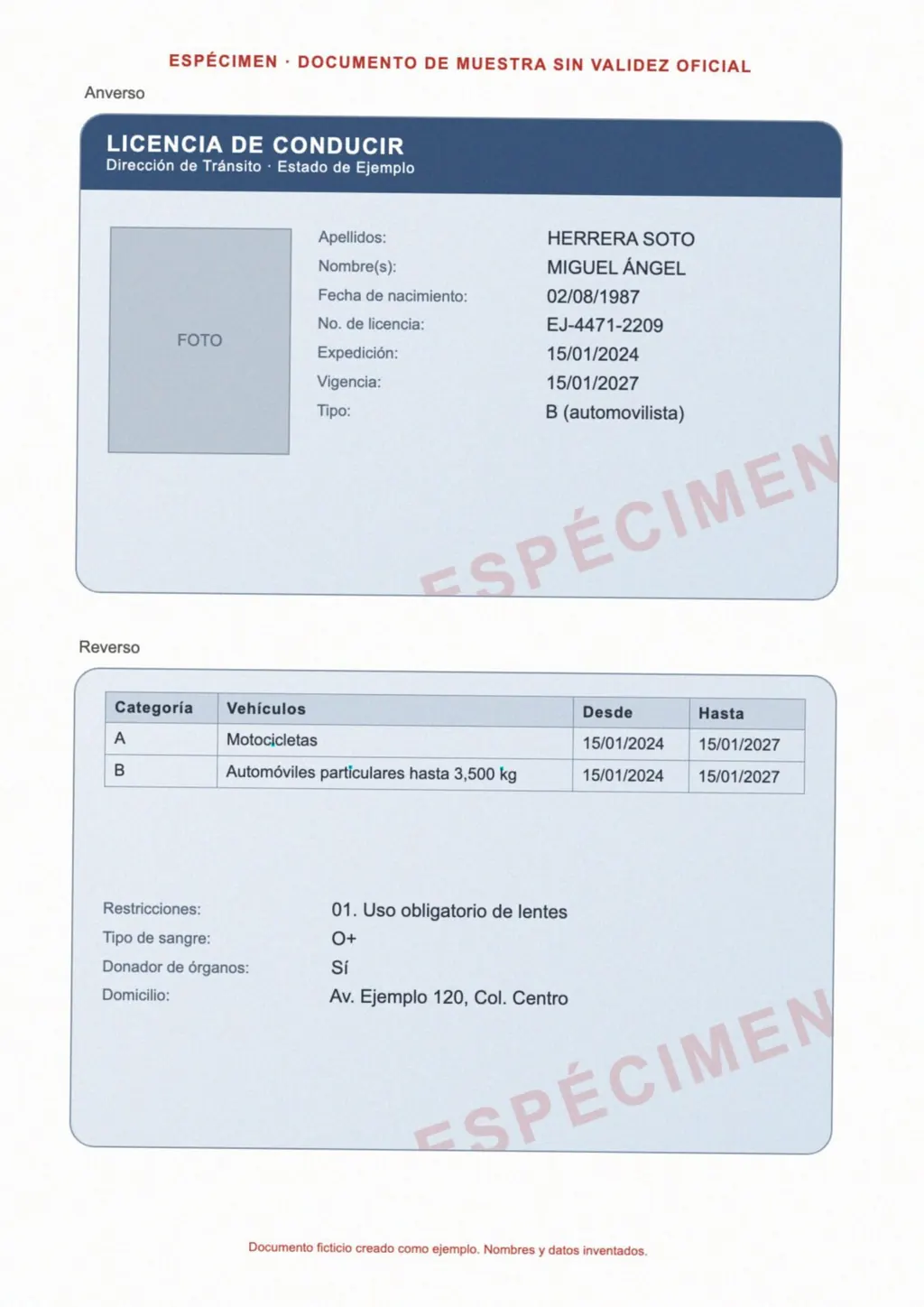
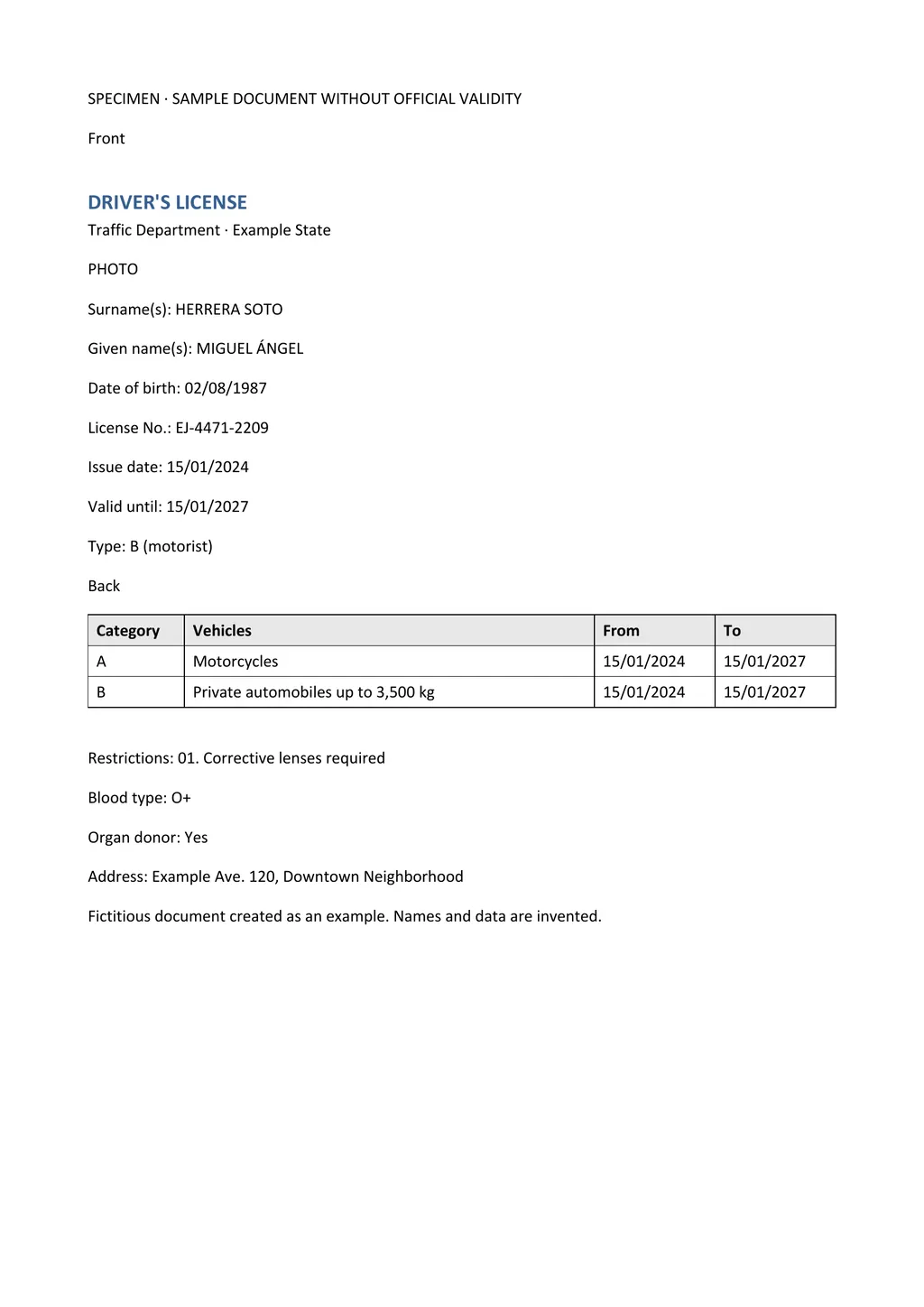
Is your image a document or a picture with some words in it?
Choose the tool based on what the image contains. A street sign, a menu, a product label or a meme is a picture with a few words in it. You want to understand it on the spot, and a camera app that paints English over the photo does that without a download. Google Translate's Images tab does this on a computer, and you can copy the translated text or download the translated image[1].
A birth certificate, bank letter, lease, school report or screenshot of a form is a document in image form. You may want to edit it, check it line by line or send it on. A translated picture is hard to correct and loses the table structure. LoreAI is built for these documents. It reads the page with OCR and translates it into a Word file.
LoreAI translates the text of the page. It does not translate text inside a picture printed on the page, such as a logo or a photo of a shop front.
How to translate a photo of a document to English with LoreAI
- Take or find the photo. JPG and PNG work, and so does a PDF. One upload is one document, so put a multi-page document into one PDF first.
- Create a free account. Your first document is free, up to 3 pages and 3 MB.
- Upload the image and choose English. Choose OCR + Translate and set English as the target. The source language is detected automatically.
- Decide about images. Leave Include images in results off if you only want the text. The Word file is then easier to edit.
- Download and compare. Open the .docx and check every name, date and number against the photo before you use it.
Image translators side by side
| Option | What you get back | Image files | Free use |
|---|---|---|---|
| Google Translate, Images tab | A translated image to download, or the text to copy[1] | Not listed on the help page | No cost or limit named on the help page |
| DeepL image translation | The translated text | BMP, PNG, JPG, JPEG, TIF, TIFF and GIF[2] | 1500 characters a day on the free plan[2] |
| LoreAI | An editable Word file with headings, lists and tables | JPG, PNG and PDF | The first document, up to 3 pages |
Google's own advice is that small, unclear or stylized text translates less accurately, and that clear images with common fonts work best[1]. That holds for every OCR tool, including LoreAI.
What a phone photo needs for a clean result
- Lay the page flat and shoot straight down. A tilted page bends the lines of text.
- Use daylight or an even room light. A flash makes glare on glossy paper and laminated cards.
- Fill the frame with the page, and keep all four edges in view so nothing is cut off.
- Hold still and tap to focus on the text. Small print blurs first.
- Take one photo per page. Long ID numbers and reference codes are the first thing a blurred or skewed photo loses, so compare them digit by digit.
An iPhone may save photos as HEIF, which LoreAI does not accept. To take JPG photos instead, open Settings, tap Camera, then Formats, and choose Most Compatible[3]. A screenshot of the photo is saved as PNG and also works.
Images in Japanese, Chinese and other scripts
For scripts other than Latin, LoreAI writes each person's name in the usual Latin spelling. It adds the original in square brackets on first use, so 张伟明 becomes Zhang Weiming [张伟明]. Readers and receiving offices can then match the name to the original.
For script-specific problems, see Japanese images and scans for kanji names and family registers. The guide to Chinese images and documents covers simplified and traditional characters.
When the English version goes to an office
For your own reading, the Word file is enough. An immigration office may ask for more. For USCIS, every foreign-language document comes with a full English translation that the translator certifies as complete and accurate, together with a statement that the translator is competent in both languages[4].
LoreAI is not a certified translation service and does not sign translations. Use its Word file as the draft, and have a person who knows both languages check it and sign the certification. The guide to getting a certified translation explains the steps.
Questions people ask
Can I translate an image to English for free?
Can I translate a screenshot?
Yes. A screenshot is an image file, and LoreAI reads PNG and JPG like any other image. Crop away the phone's status bar and app buttons first, or their text ends up in the Word file.
Can I edit the English text afterwards?
Yes. Open the .docx file in Word, Google Docs or LibreOffice to correct words and names or delete lines.
Why is my iPhone photo rejected?
It is probably a HEIF photo, which LoreAI does not accept. Switch the camera to Most Compatible under Settings, Camera, Formats, and new photos are saved as JPEG[3].
Sources
- Google Translate Help: Translate images (computer), accessed November 2, 2026
- DeepL: Translate images or scanned documents, accessed November 2, 2026
- Apple Support: Using HEIF or HEVC media on Apple devices, accessed November 2, 2026
- 8 CFR 103.2(b)(3), Translations, Electronic Code of Federal Regulations, accessed November 2, 2026
By Matt Mountain ·